
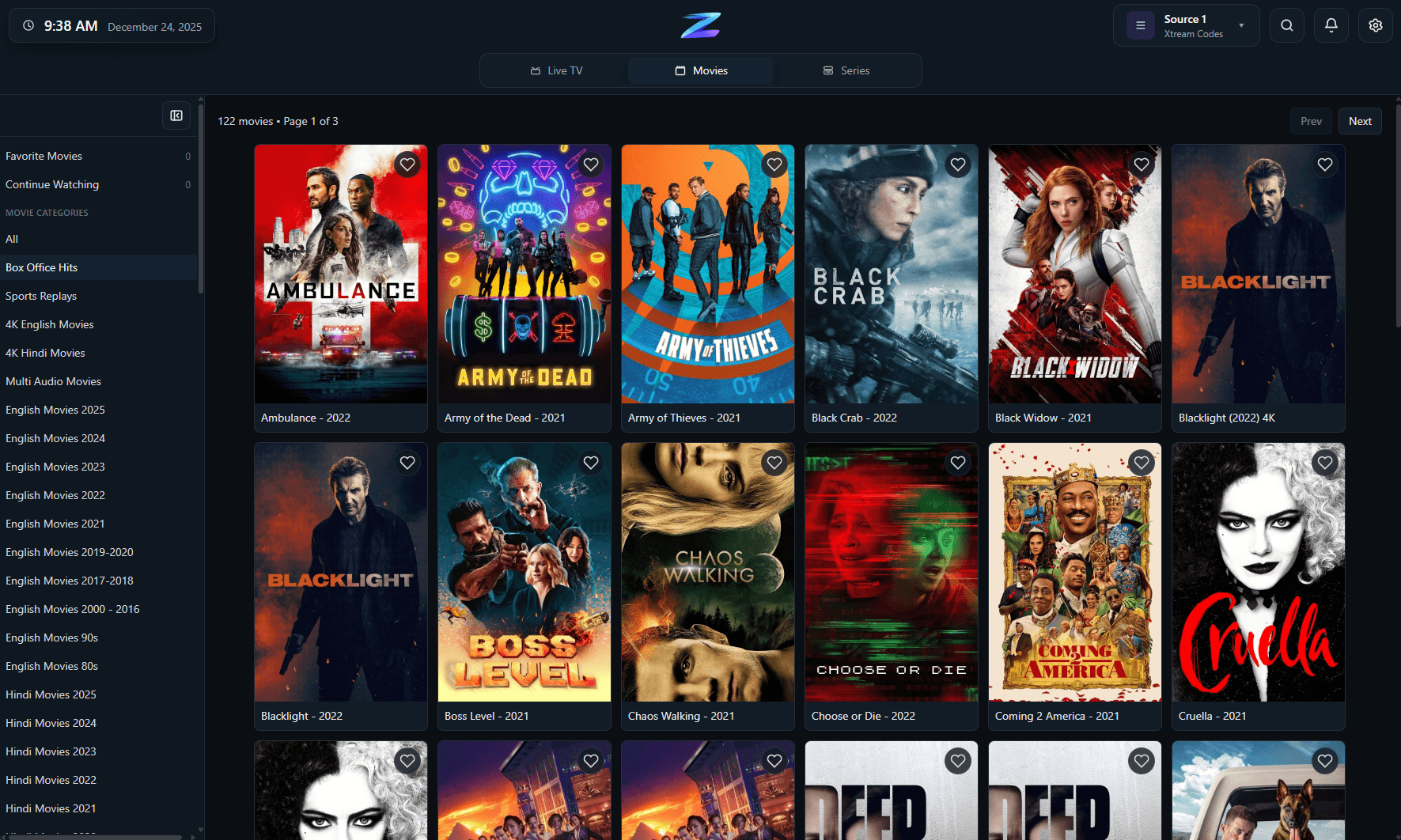
Playback controls on macOS
A desktop playback experience that keeps stream actions, info, and navigation close without clutter.
IPTV Player Zero is a Mac IPTV player for people who want their own playlists, guide data, movies, and series to feel like one coherent desktop product instead of a collection of workarounds. It supports M3U and M3U8 playlists, Xtream Codes, and Stalker or MAC Portal sources while keeping favorites, search, parental controls, downloads, and progress tracking close to playback.
IPTV Player Zero does not sell channels, subscriptions, or provider data. You connect the app to your own source.
A desktop playback experience that keeps stream actions, info, and navigation close without clutter.
Compatibility
A quick factual summary of platforms, source support, guide behavior, and the player-only boundaries.
Platforms
macOS builds are available through the Apple App Store and standalone releases.
Playlist formats
M3U/M3U8, Xtream Codes, and Stalker/MAC Portal.
EPG behavior
Provider-supplied guide data with EPG offset support for alignment.
Recording
Record live TV on supported sources.
Downloads
Download movies and series in supported scenarios.
Parental controls
4-digit PIN plus optional keyword filtering.
Player-only scope
The app does not provide channels, playlists, or subscriptions.
Details
The core value on Mac is that the app stays usable once your playlists and guide are connected, which matters more than simply opening a stream.
Mac users often need to accommodate whatever login or playlist format the provider exposes rather than choosing the ideal connection type up front.
Once imported, the app is meant to reduce friction around content discovery and repeat viewing instead of only acting as a thin wrapper around a playlist.
FAQ
The site lists Apple platform availability and current release options. Use the listed store or direct download links for the latest supported macOS builds.
Yes. Xtream Codes is supported on macOS alongside M3U/M3U8 and Stalker/MAC Portal sources.
Yes. IPTV Player Zero includes movie and series browsing, playback, favorites, downloads, and progress tracking.
Related pages
Use these follow-on pages to compare source types, understand guide behavior, or move into the right product surface.
Compare IPTV Player Zero with Nightmare TV, TiviMate, IPTV Smarters Pro and MyIPTV Player using numbered official sources.
Open page
A practical comparison of the three common IPTV connection types and when each one makes sense.
Open page
A guide to provider-supplied guide data, offsets, reminders, and what to check when listings look wrong.
Open page
Contact support with the right context for setup, playback, licensing, and app behavior questions.
Open page