
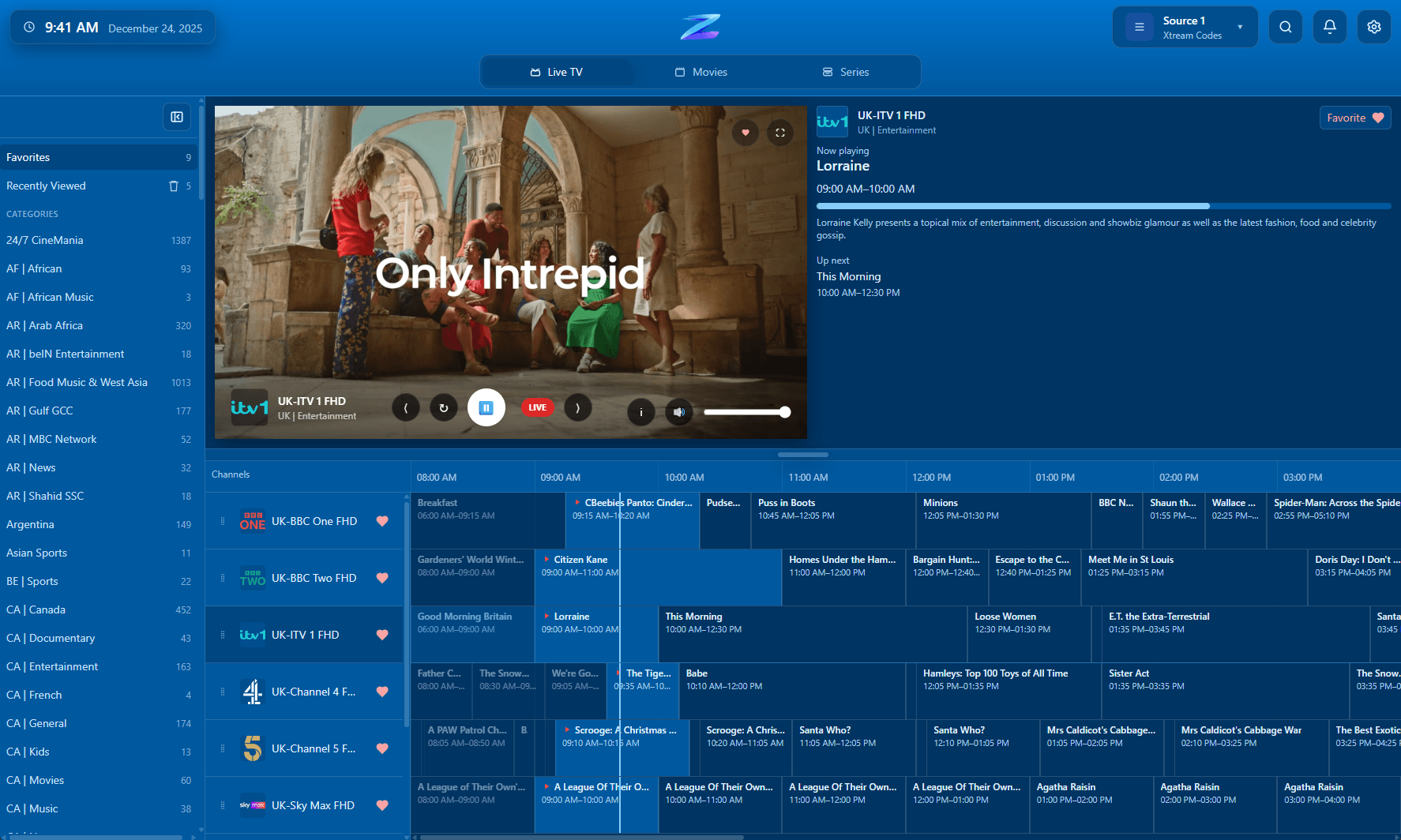
Guide browsing with Xtream-backed metadata
Xtream sources are often the strongest fit when you want guide data, category structure, and VOD surfaced cleanly.
IPTV Player Zero works well as an Xtream Codes player because Xtream is usually the connection type that brings back the richest structure for live categories, guide data, movies, and series. If your provider offers Xtream credentials, this is often the cleanest way to load the source and keep playback, search, downloads, favorites, and parental controls inside a single desktop workflow.
The app connects to your own Xtream provider. It does not provide channels, credentials, or subscriptions.
Xtream sources are often the strongest fit when you want guide data, category structure, and VOD surfaced cleanly.
Compatibility
A quick factual summary of platforms, source support, guide behavior, and the player-only boundaries.
Platforms
Windows and macOS.
Connection type
Xtream Codes credentials supplied by your provider.
EPG behavior
Xtream provider EPG can populate the guide where the provider exposes it.
Recording
Record live TV on supported sources.
Downloads
Download movies and series in supported scenarios.
Parental controls
4-digit PIN plus optional keyword filtering.
Player-only scope
The app does not provide channels, playlists, or subscriptions.
Details
Xtream login flows usually expose more usable information than plain playlists, which is why many users prefer them when both options are available.
A good Xtream experience is not just about connecting successfully. The important part is what the app can do with the returned data once the connection is live.
If your provider offers both a plain M3U and Xtream credentials, Xtream is usually the first option worth testing for richer metadata and smoother day-to-day browsing.
FAQ
Often yes. Xtream sources usually return richer metadata and guide structure, especially for movies and series, but the exact quality still depends on the provider.
Yes. IPTV Player Zero supports live TV, guide browsing, movies, and series from compatible Xtream sources.
Use IPTV Zero Diagnostics if you need to inspect the actual request sequence, returned data, and stream behavior behind a problematic Xtream source.
Related pages
Use these follow-on pages to compare source types, understand guide behavior, or move into the right product surface.
Compare IPTV Player Zero with Nightmare TV, TiviMate, IPTV Smarters Pro and MyIPTV Player using numbered official sources.
Open page
A practical comparison of the three common IPTV connection types and when each one makes sense.
Open page
Inspect Xtream, M3U, and Stalker request flows, returned data, and stream behavior with a dedicated diagnostics app.
Open page
A guide to provider-supplied guide data, offsets, reminders, and what to check when listings look wrong.
Open page