
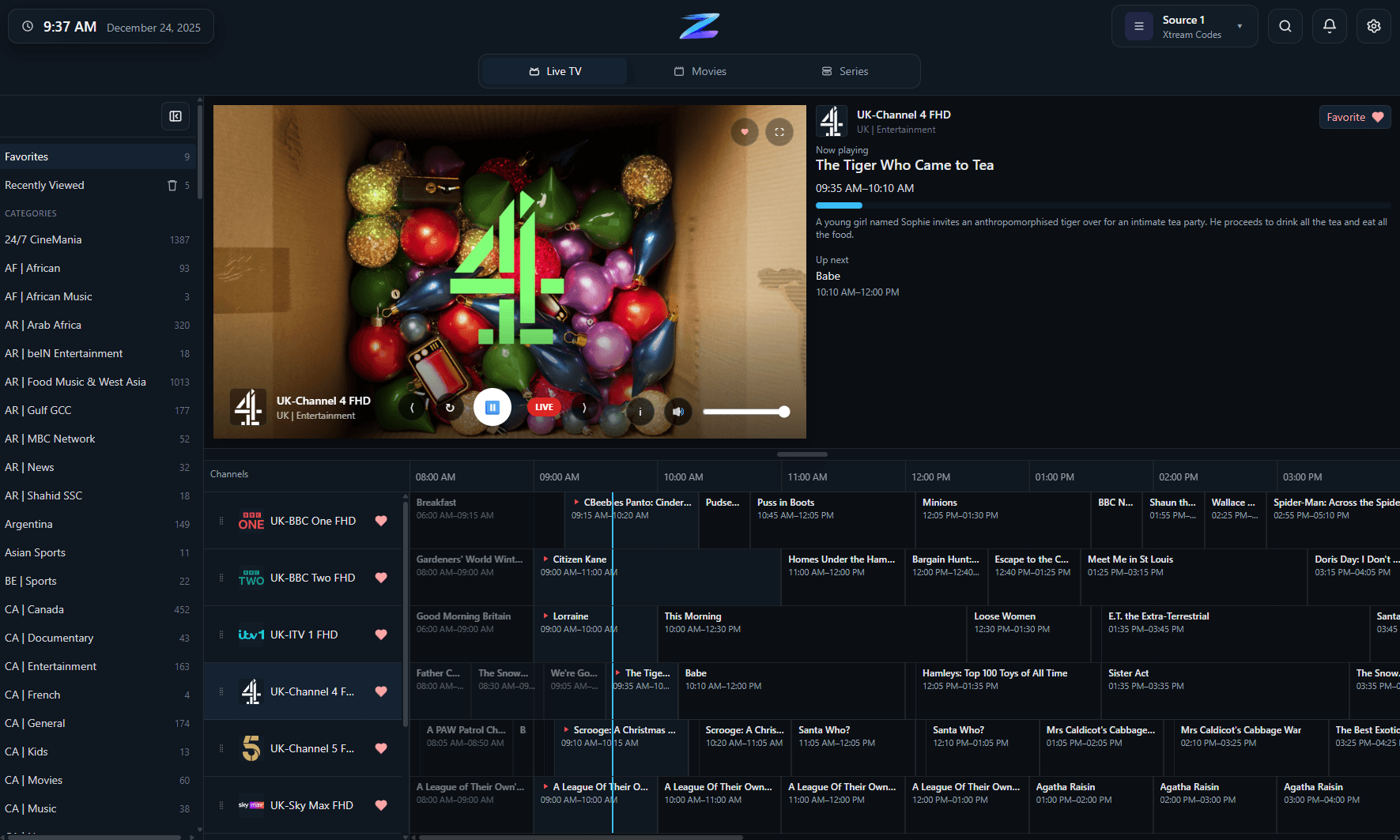
Live TV on Windows
Channel browsing, favorites, recently viewed channels, and a clean desktop-first viewing flow.
IPTV Player Zero is a Windows IPTV player built for people who want live TV, guide browsing, recordings, downloads, and VOD in one desktop app. It supports M3U and M3U8 playlists, Xtream Codes logins, and Stalker or MAC Portal sources, so you can bring the connection method your provider already uses instead of rebuilding your setup around a different app.
IPTV Player Zero is player-only software. You supply the playlist, portal, or provider account details.
Channel browsing, favorites, recently viewed channels, and a clean desktop-first viewing flow.
Compatibility
A quick factual summary of platforms, source support, guide behavior, and the player-only boundaries.
Platforms
Windows desktop via Microsoft Store and standalone installer.
Playlist formats
M3U/M3U8, Xtream Codes, and Stalker/MAC Portal.
EPG behavior
Guide data from your provider or chosen EPG source, plus EPG offset.
Recording
Record live TV on supported sources.
Downloads
Download movies and series in supported scenarios.
Parental controls
4-digit PIN plus optional keyword filtering.
Player-only scope
The app does not provide channels, playlists, or subscriptions.
Details
On Windows, the main advantage is keeping live TV, guide, movies, and series together instead of jumping between separate utilities.
Most Windows IPTV users arrive with one of three setups: a plain playlist URL, Xtream credentials, or a Stalker-style portal.
The app is designed for what happens after the playlist connects, which is where a lot of Windows IPTV players become rough.
FAQ
No. IPTV Player Zero is a player only and does not provide channels, playlists, or provider accounts.
Xtream Codes is usually the richest source type because it can return better guide, movie, and series metadata, but M3U and Stalker sources are also supported.
Yes. IPTV Player Zero includes live TV recording on supported sources.
Related pages
Use these follow-on pages to compare source types, understand guide behavior, or move into the right product surface.
Compare IPTV Player Zero with Nightmare TV, TiviMate, IPTV Smarters Pro and MyIPTV Player using numbered official sources.
Open page
Why Xtream is usually the richest source type for guide, category, movie, and series data in IPTV Player Zero.
Open page
How IPTV Player Zero handles M3U and M3U8 playlists, guide setup, and day-to-day channel browsing.
Open page
Understand Stalker compatibility, playlist setup expectations, and how the app fits portal-based IPTV sources.
Open page