
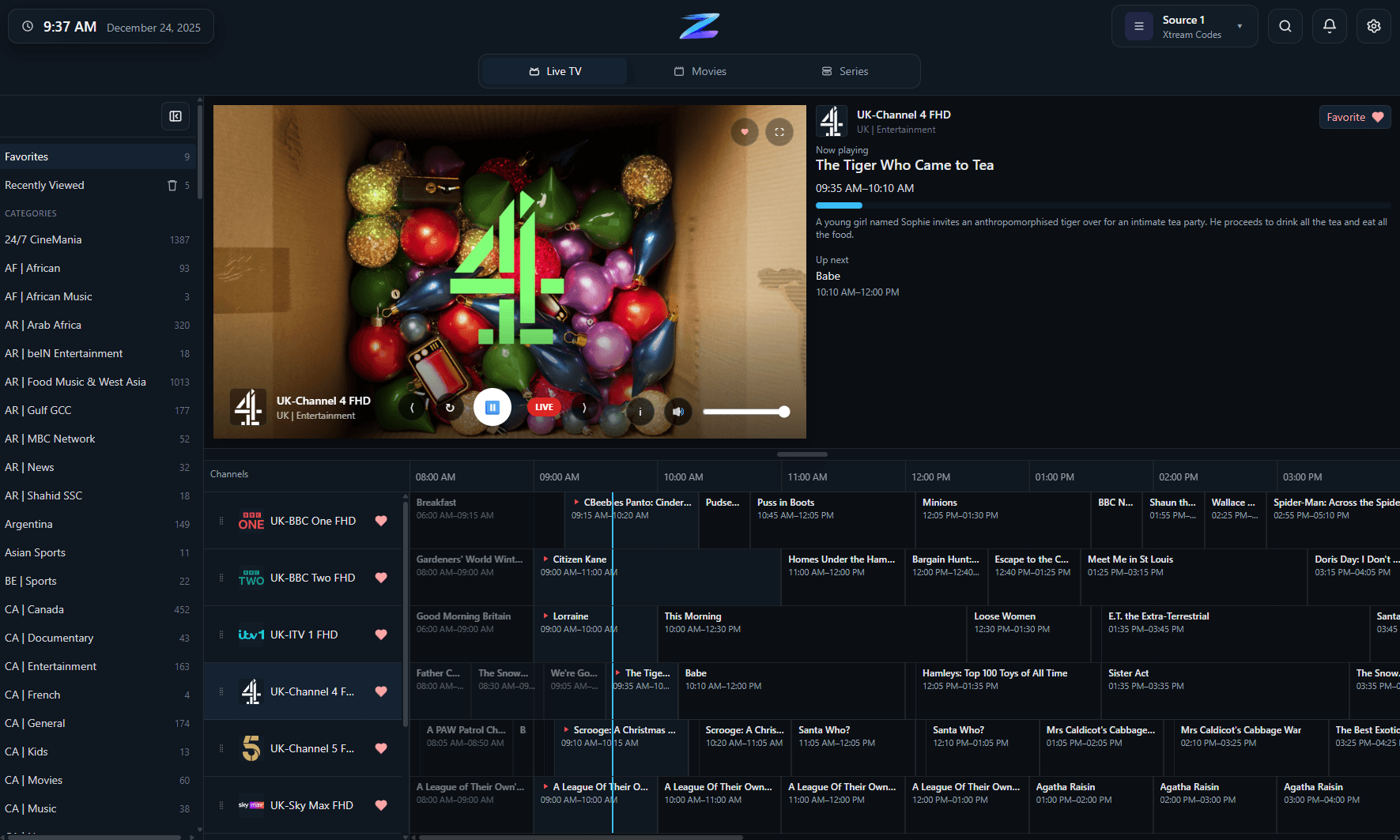
Playlist browsing that stays manageable
A large playlist becomes easier to work with when channel browsing, favorites, and recent items are part of the UI instead of an afterthought.
IPTV Player Zero works as an M3U player for local playlist files and remote M3U or M3U8 URLs, but the point is not only loading the list successfully. The app is designed to help you move from a raw playlist into day-to-day watching with categories, search, favorites, guide browsing, reminders, downloads, and parental controls while still keeping the setup flexible enough for user-provided sources.
You bring your own M3U or M3U8 playlist. IPTV Player Zero does not host playlists or channel lists.
A large playlist becomes easier to work with when channel browsing, favorites, and recent items are part of the UI instead of an afterthought.
Compatibility
A quick factual summary of platforms, source support, guide behavior, and the player-only boundaries.
Platforms
Windows and macOS.
Playlist formats
M3U and M3U8 from local files or URLs.
EPG behavior
Guide support depends on the playlist/provider setup and your chosen EPG source.
Recording
Record live TV on supported sources.
Downloads
Download movies and series in supported scenarios.
Parental controls
4-digit PIN plus optional keyword filtering.
Player-only scope
The app does not provide channels, playlists, or subscriptions.
Details
Many M3U players can open a playlist, but they become awkward once the list grows and you actually need to live in it.
With plain playlists, a workable guide experience depends more heavily on the data quality and the guide source you pair with it.
The difference is the surrounding experience once the raw list has been imported into the app.
FAQ
Yes. The app supports M3U and M3U8 playlists from local files and URLs.
Not always. Guide quality depends on how the provider supplies data and how the playlist is paired with a compatible EPG source.
It can be, but Xtream Codes often exposes richer movie and series metadata. If your provider offers Xtream as well, it is worth comparing both options.
Related pages
Use these follow-on pages to compare source types, understand guide behavior, or move into the right product surface.
Compare IPTV Player Zero with Nightmare TV, TiviMate, IPTV Smarters Pro and MyIPTV Player using numbered official sources.
Open page
A practical comparison of the three common IPTV connection types and when each one makes sense.
Open page
Why Xtream is usually the richest source type for guide, category, movie, and series data in IPTV Player Zero.
Open page
A guide to provider-supplied guide data, offsets, reminders, and what to check when listings look wrong.
Open page