
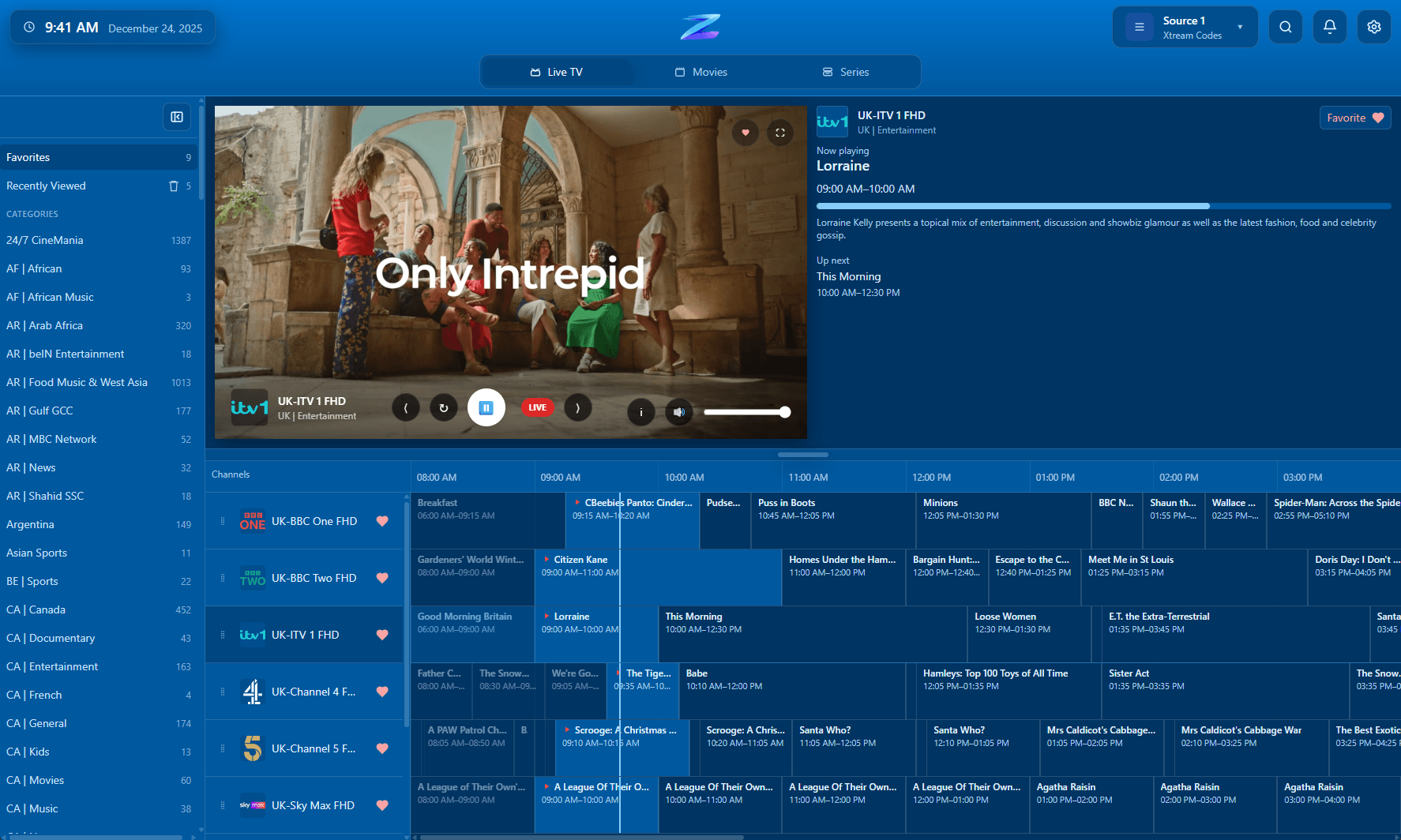
Guide quality often starts with source choice
The connection method you choose affects how much useful structure reaches the app for guide, category, and VOD browsing.
If your provider gives you more than one login option, M3U, Xtream Codes, and Stalker or MAC Portal do not behave the same way in practice. IPTV Player Zero supports all three, but they differ in how much guide data, category structure, movie and series detail, and troubleshooting visibility they usually expose. Choosing the right one first can save a lot of time and make the app easier to live in every day.
The best choice still depends on what your provider actually returns. The app cannot improve missing or poor source data on its own.
By IPTV Player Zero Team · Published 2026-06-01 · Updated 2026-08-08
The connection method you choose affects how much useful structure reaches the app for guide, category, and VOD browsing.
Compatibility
A quick factual summary of platforms, source support, guide behavior, and the player-only boundaries.
M3U
Most flexible for import, but metadata quality depends heavily on the provider.
Xtream
Usually the richest fit for guide, movies, series, and category structure.
Stalker
Useful when the provider is portal-based, but behavior can be more provider-specific.
Recording
Record live TV on supported sources.
Downloads
Download movies and series in supported scenarios.
Parental controls
4-digit PIN plus optional keyword filtering.
Player-only scope
The app does not provide channels, playlists, or subscriptions.
Details
M3U is usually the easiest option to obtain and move between apps because it can be a simple local file or URL.
Xtream Codes is often the best default when you care about usable guide data, category structure, and movies or series browsing.
Stalker or MAC Portal is mostly about compatibility with providers that still expect a portal workflow and MAC-style identity pattern.
FAQ
If your provider offers Xtream Codes, it is usually the first option worth trying for richer guide and VOD data. M3U is the most flexible import format, and Stalker matters when the provider is portal-based.
Yes. IPTV Player Zero supports multiple playlist and provider types, so you can compare the source your provider gives you.
Use IPTV Zero Diagnostics when you need to inspect the real responses behind Xtream, M3U, or Stalker connections instead of guessing from the UI alone.
Related pages
Use these follow-on pages to compare source types, understand guide behavior, or move into the right product surface.
Why Xtream is usually the richest source type for guide, category, movie, and series data in IPTV Player Zero.
Open page
How IPTV Player Zero handles M3U and M3U8 playlists, guide setup, and day-to-day channel browsing.
Open page
Understand Stalker compatibility, playlist setup expectations, and how the app fits portal-based IPTV sources.
Open page