A Beautiful IPTV Player for
Fire TV, Google TV & Android TV
Bring the M3U playlist, Xtream Codes login or Stalker/MAC portal you already have: live TV with a full TV guide, movies and series, all with your remote.
On your TV: open the free Downloader app and enter
Downloader code9684917Free 7-day trial · $19.99 once for up to 5 TVs · No subscription · Player only: bring your own playlist
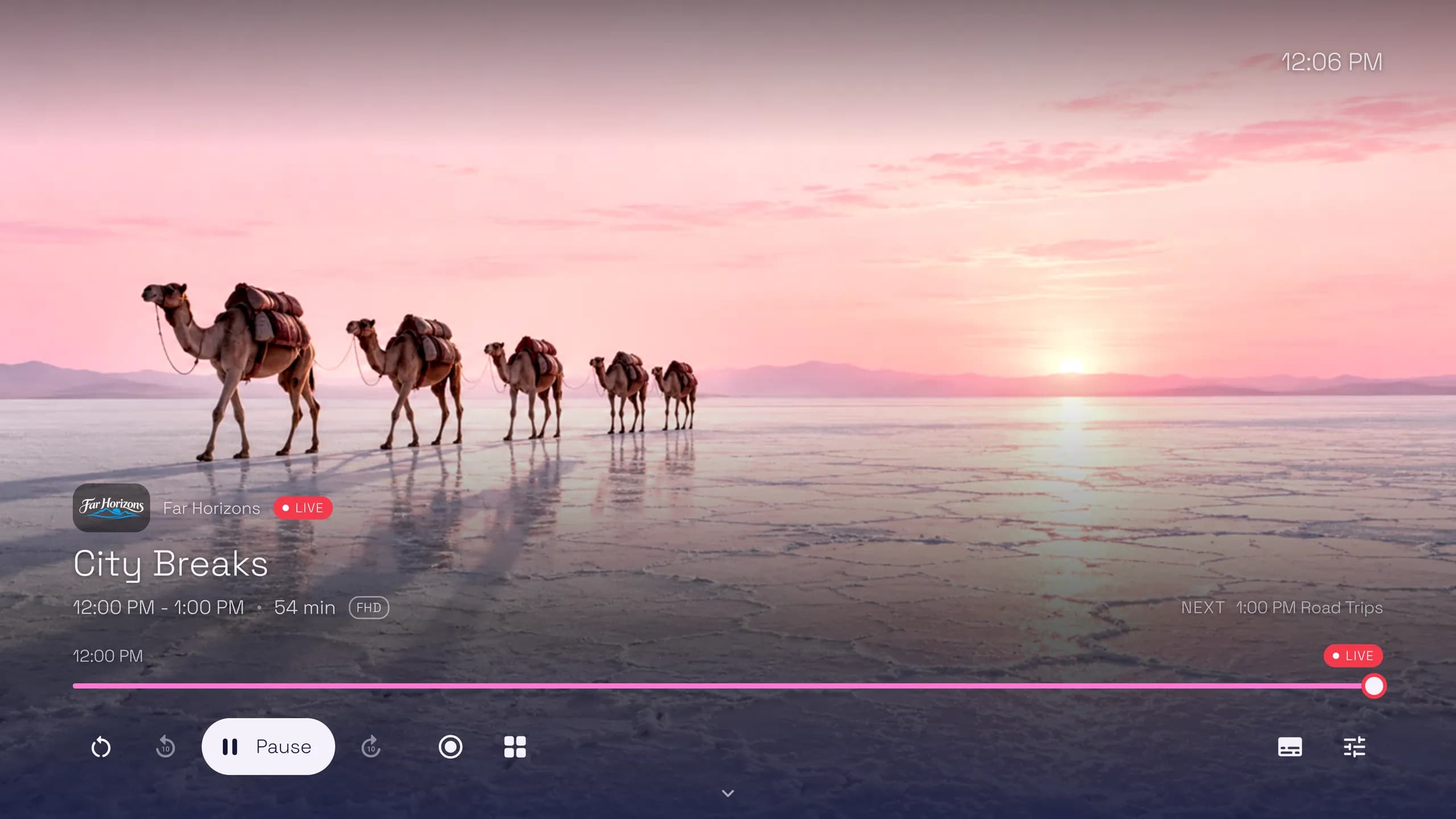
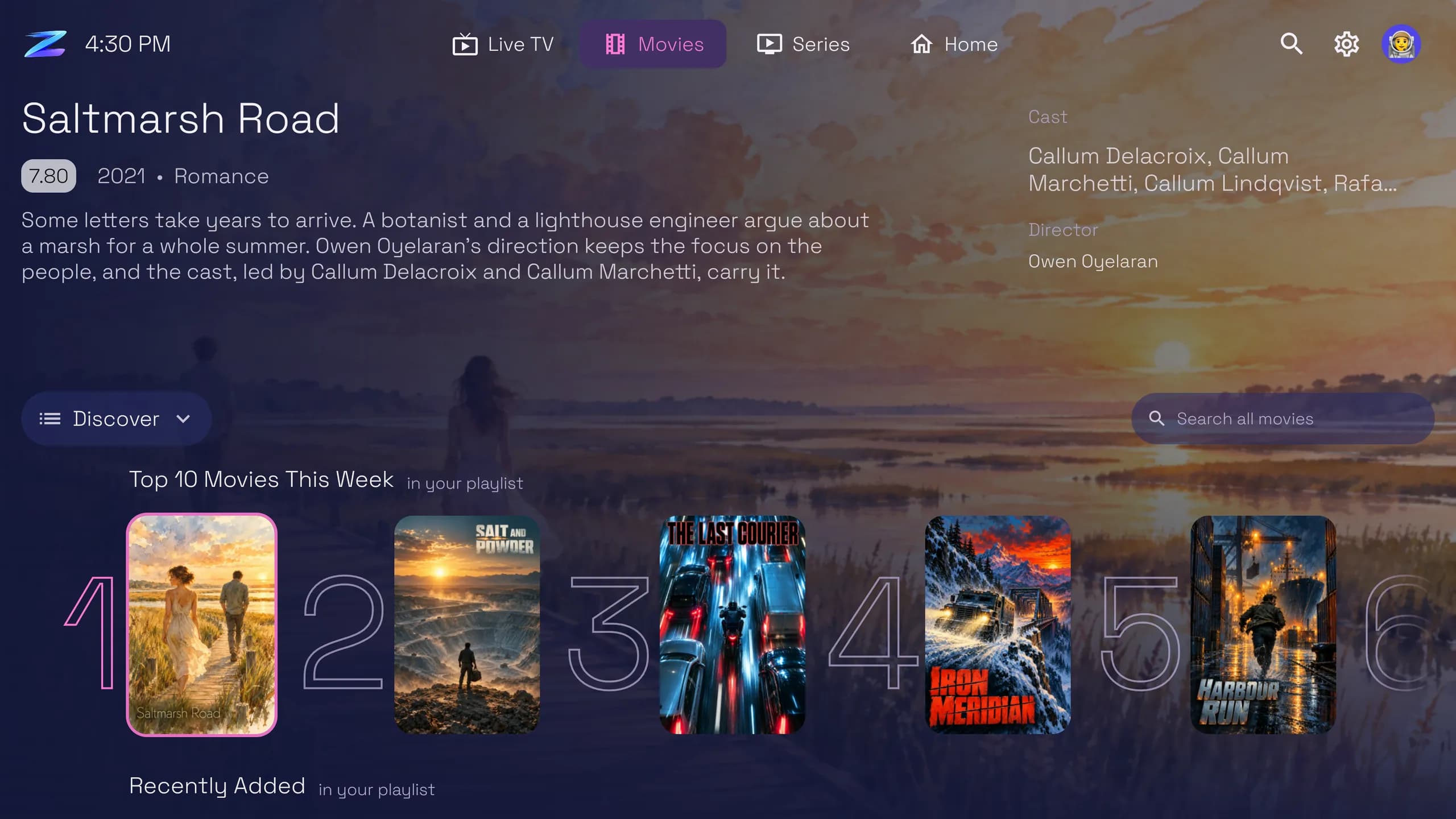
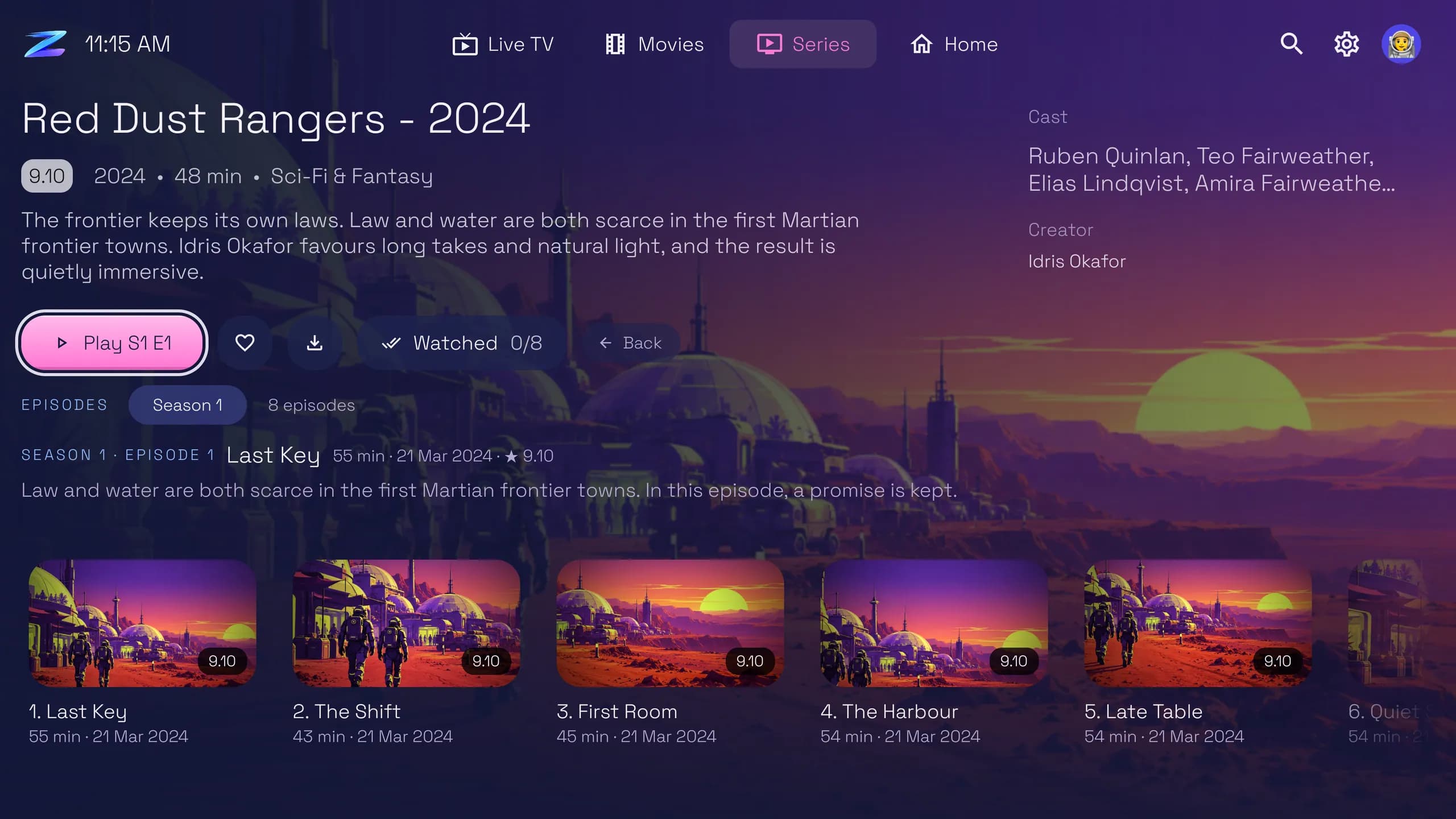
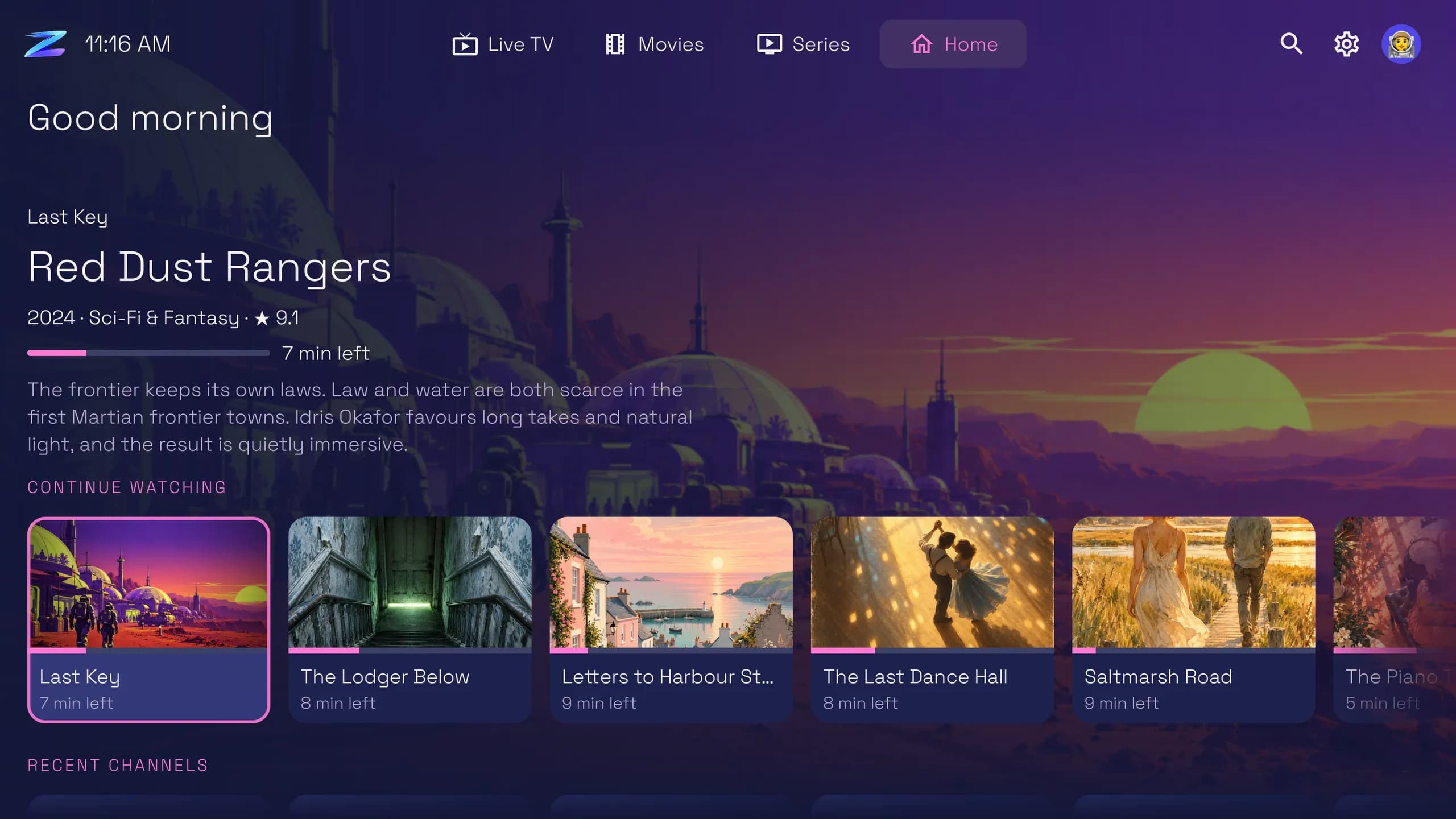
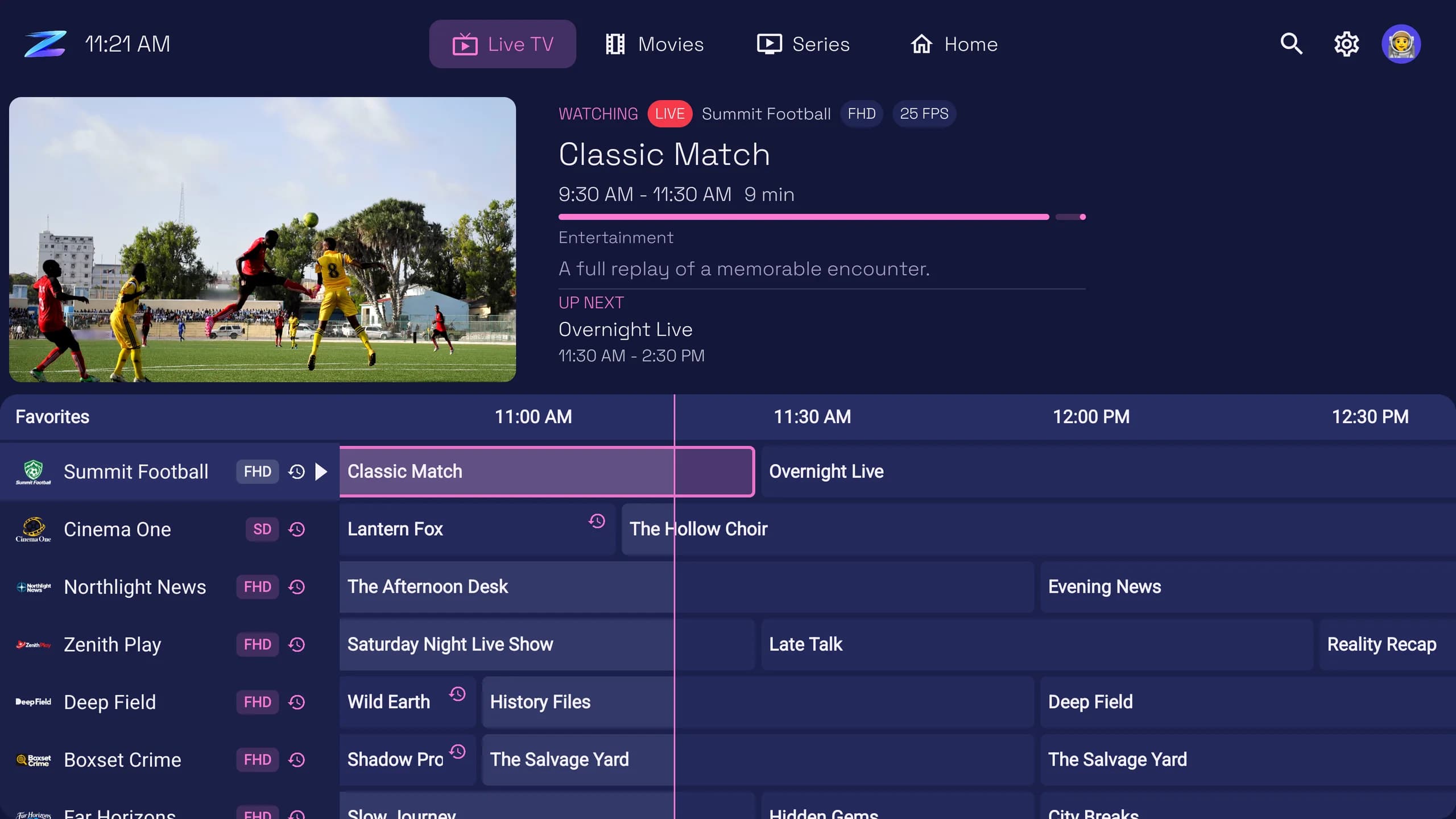
Your channels and the TV guide together, with the channel still playing while you browse.
App demonstration using sample content. A software purchase does not include the content shown.
Player only — bring your own authorised playlist. Zero TV is media-player software. It does not include or sell channels, playlists or subscriptions, and PRO unlocks player features only.
- Works on
- Fire TV with Fire OS 7 or later, and Google TV and Android TV with Android 9 or later
- Plays
- M3U and M3U8 playlists, Xtream Codes logins and Stalker/MAC portals that you already have
- Price
- Free 7-day PRO trial, then $19.99 once for up to 5 TVs. No subscription.
- Current version
- 1.0.491 (79.8 MB). New versions arrive inside the app.
- Languages
- English and 13 more
- Made by
- Built By Board Ltd, a UK company
Live TV
A TV guide built for the remote
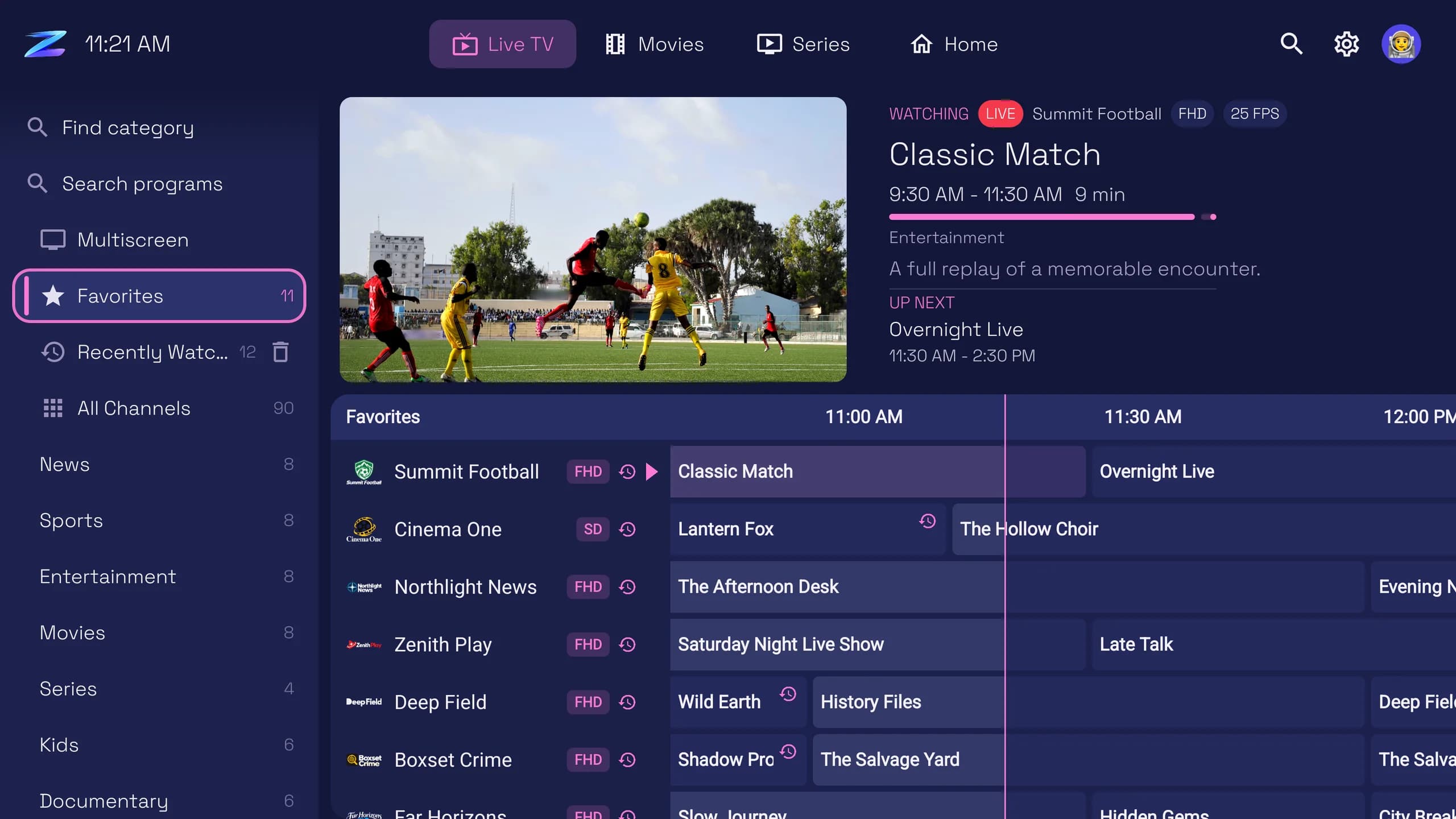
Your channels and the guide share one screen, and the channel you are watching keeps playing above it while you look around.
- Favorites, Recently Watched and your provider's categories, one press to the left
- Catch-up and start over on channels whose source offers them
- Hold OK on a channel to favorite it, fix its guide, move it or hide it
- Search the guide for a program by name
Movies and series
Your library, properly presented
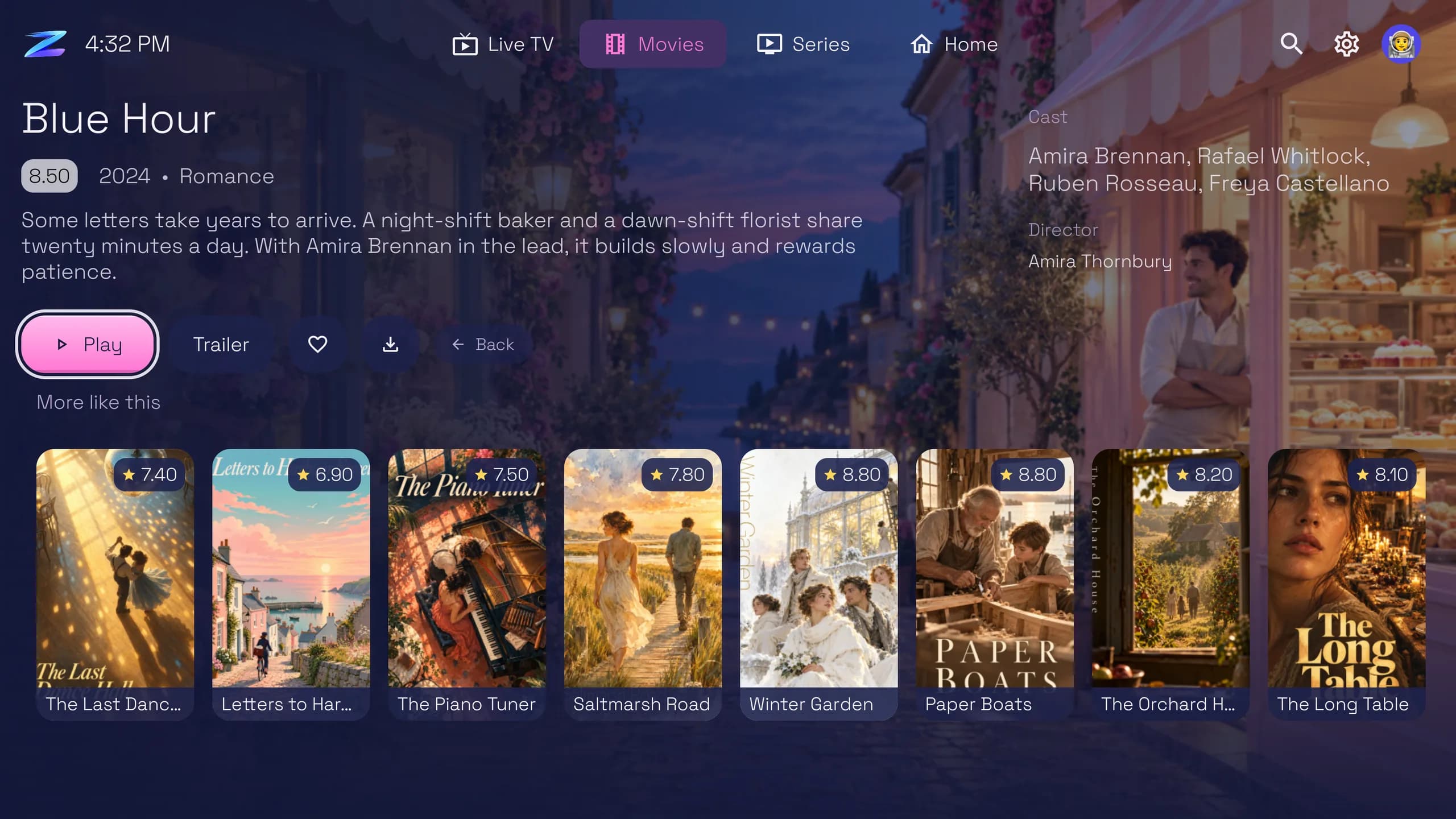
Posters, ratings, cast, seasons and episodes laid out like a streaming app, from the movies and series in your own playlist.
- Continue Watching waits for you on Home
- Browse by category, sort the library and search all of it
- More like this suggests what to watch next, from your own library
- Favorites, trailers and downloads a press away
- Trakt keeps what you have watched in step
Search and channel options
Everything a press away
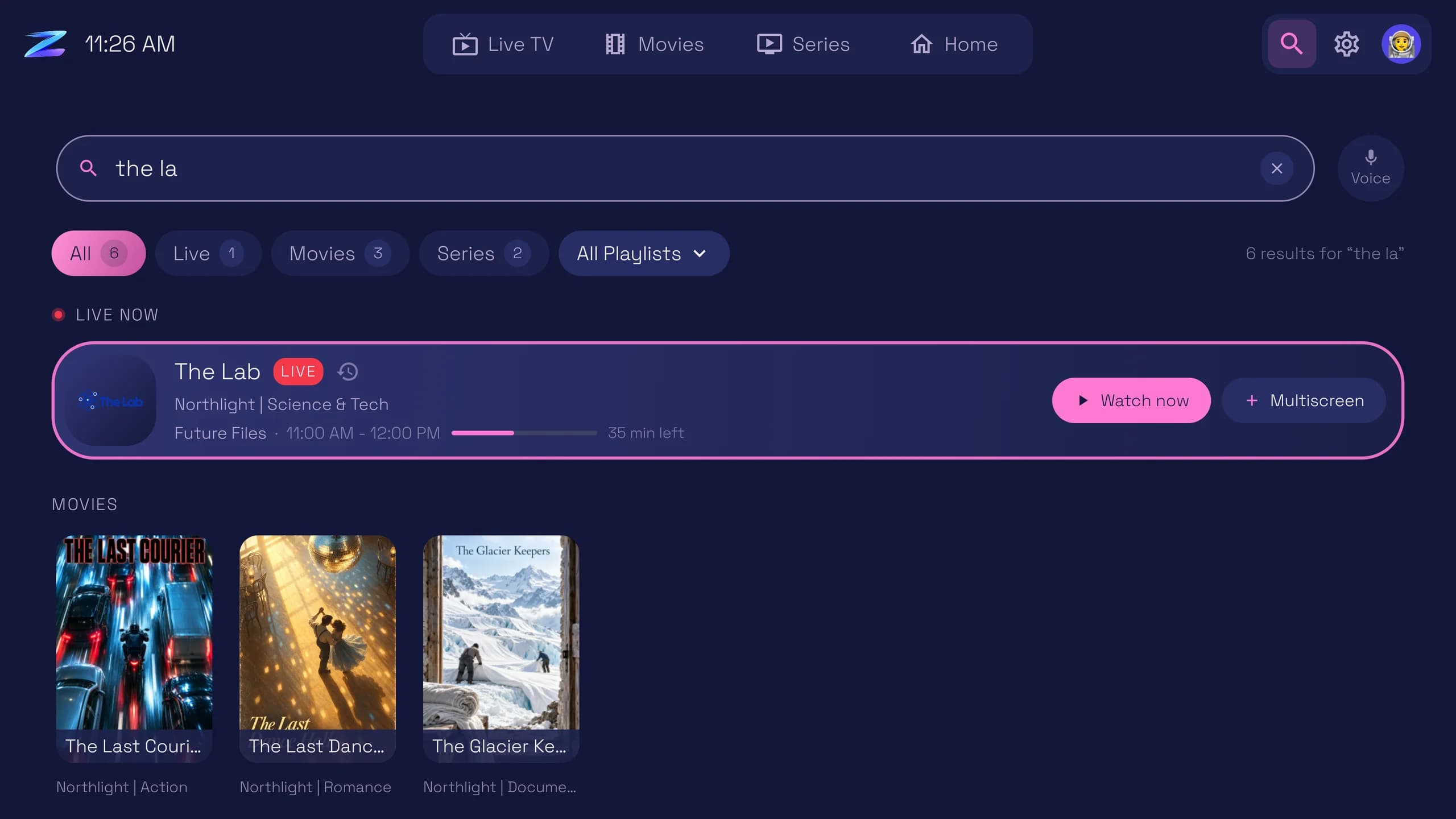
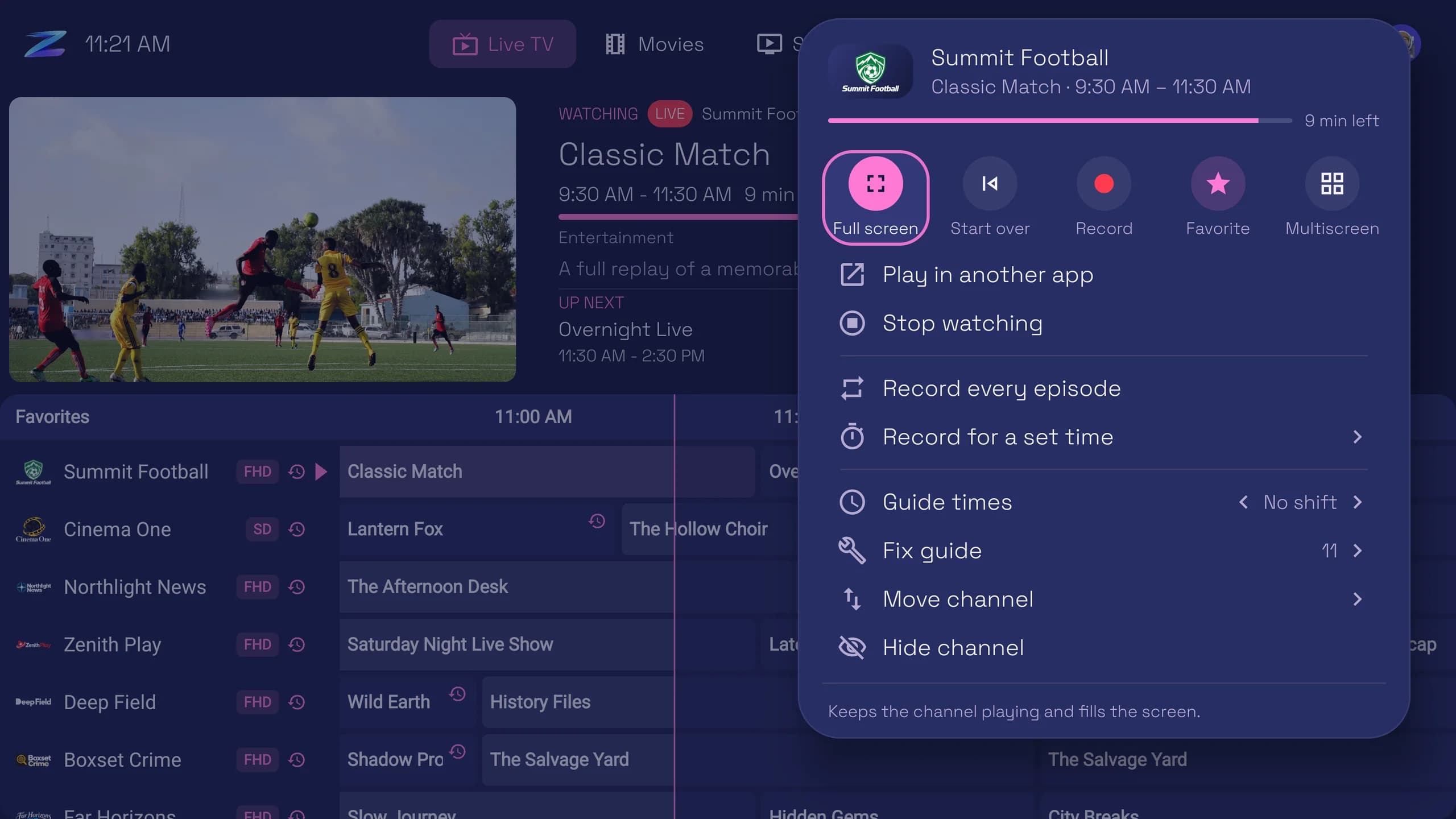
One search looks through live channels, movies and series together, and every channel carries its own options so you never dig through menus.
- Search with the remote or by voice
- See what is on now before you tune in
- Favorite a channel, start it over or go full screen from one menu
- Shift a channel's guide times or hide a channel you never watch
Your look
Ten looks, and the menu where you want it
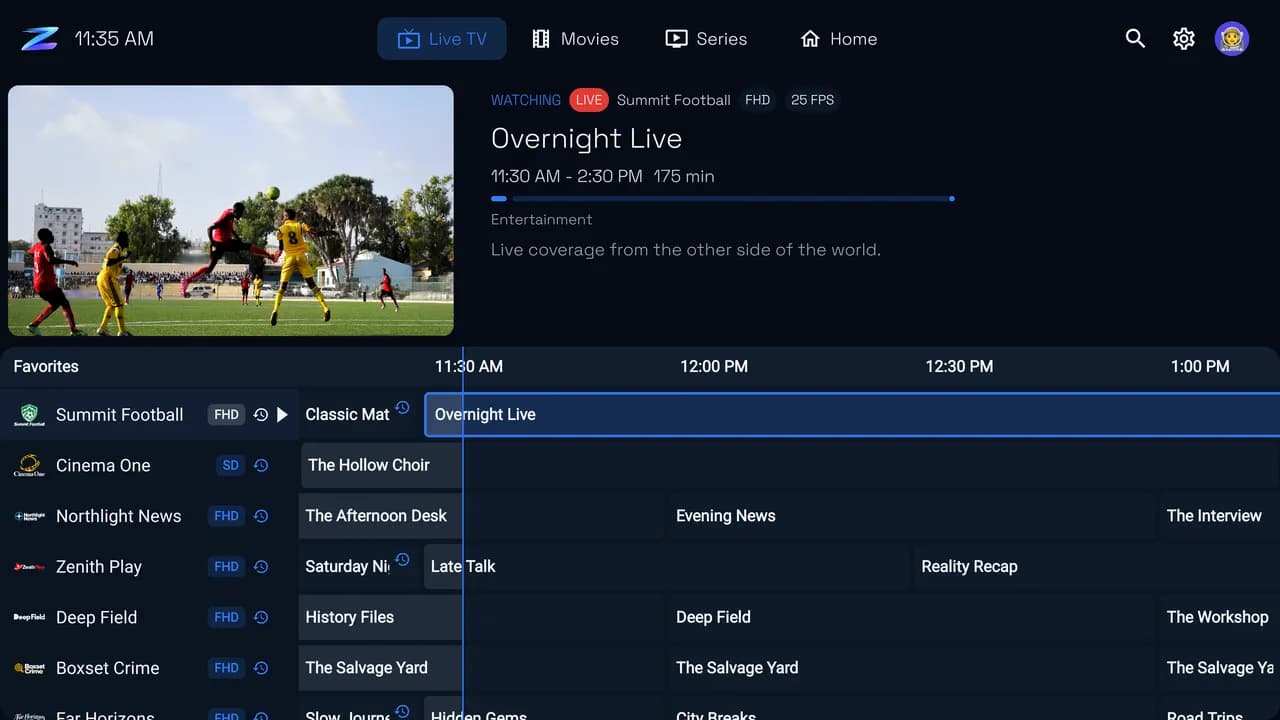
Pick the colors that suit your room, from deep navy to true black for OLED TVs. Put the menu along the top or down the side, choose smaller or larger text, and give everyone at home their own profile.
Navy 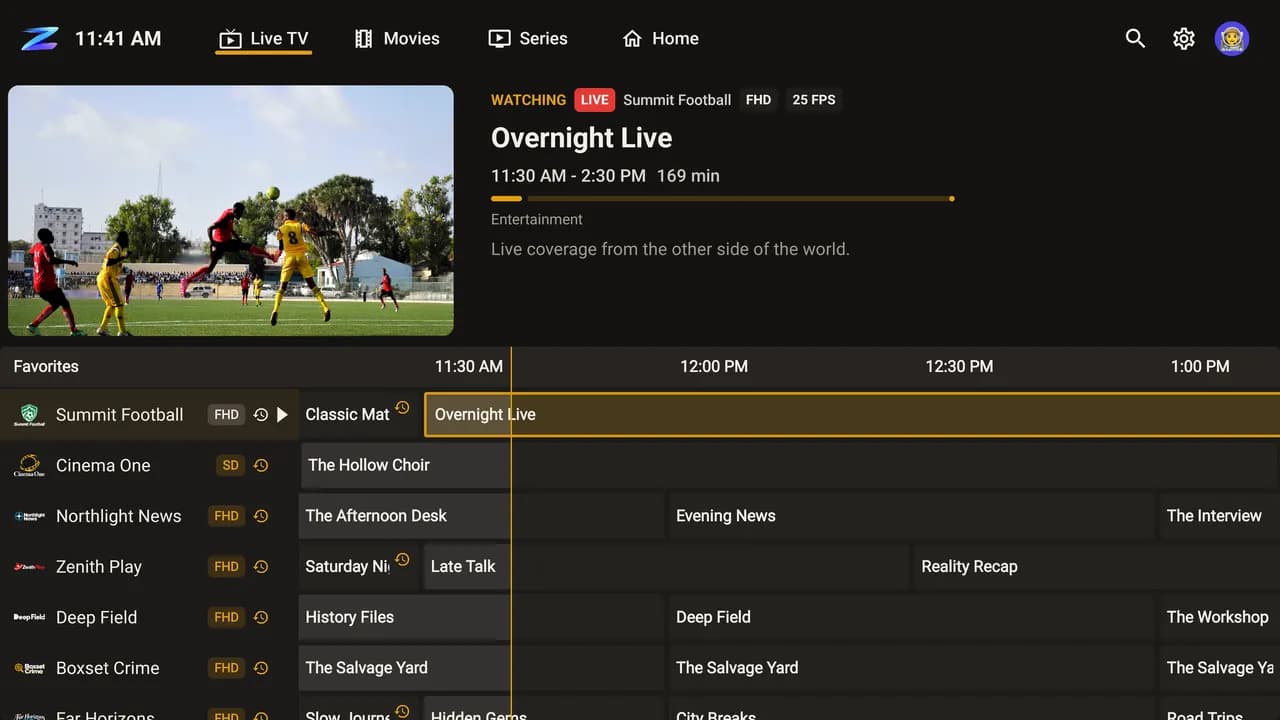
Marquee 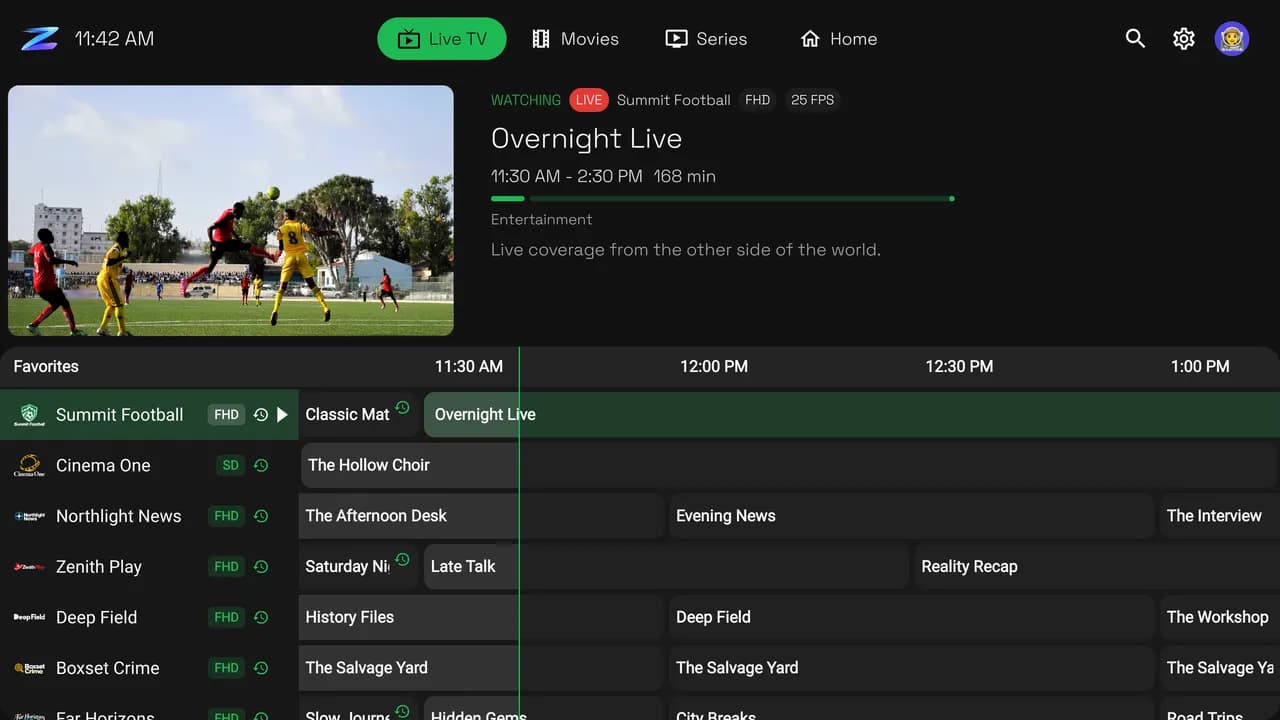
Pulse 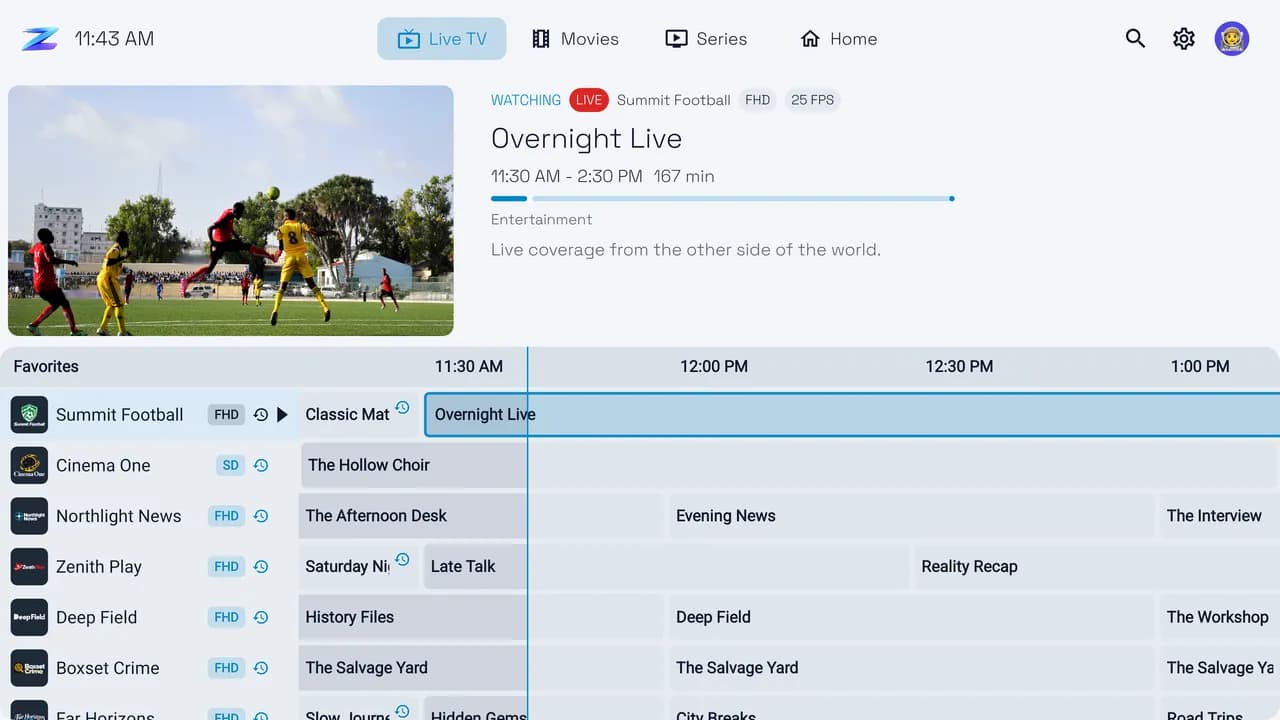
Light
Also Luna, Buddy, OLED, Hula, Mary and Zone. Up to 6 profiles, with a parental PIN for adult and locked categories.
And more
Also in Zero TV
Sports Hub
Live scores and fixtures for the teams and leagues you follow.
Zero Sync (beta)
Playlists, favorites and watch progress shared with your phone and computer.
Multiscreen
Several channels on one screen, when your provider allows more than one connection.
Recording
Record a program, a whole series or a set time, on sources that support it.
Reminders
A reminder when a program you picked is about to start.
Downloads
Save movies and episodes to watch offline.
Set up from your phone
Scan a code and send your playlist details to the TV.
Phone remote
Control Zero TV from your phone.
Subtitles
Download subtitles for movies and episodes with an OpenSubtitles account.
Lights
Hue and WLED lights that follow the picture.
Guide tools
Up to 5 guide sources per playlist, with time shift and fixes for mismatched channels.
14 languages
English, Deutsch, Español, Français, Italiano and nine more.
Sports Hub, Multiscreen, recordings, reminders, downloads, the extra looks and profiles are part of PRO, and free during the 7-day trial.
Setup
Watching within minutes
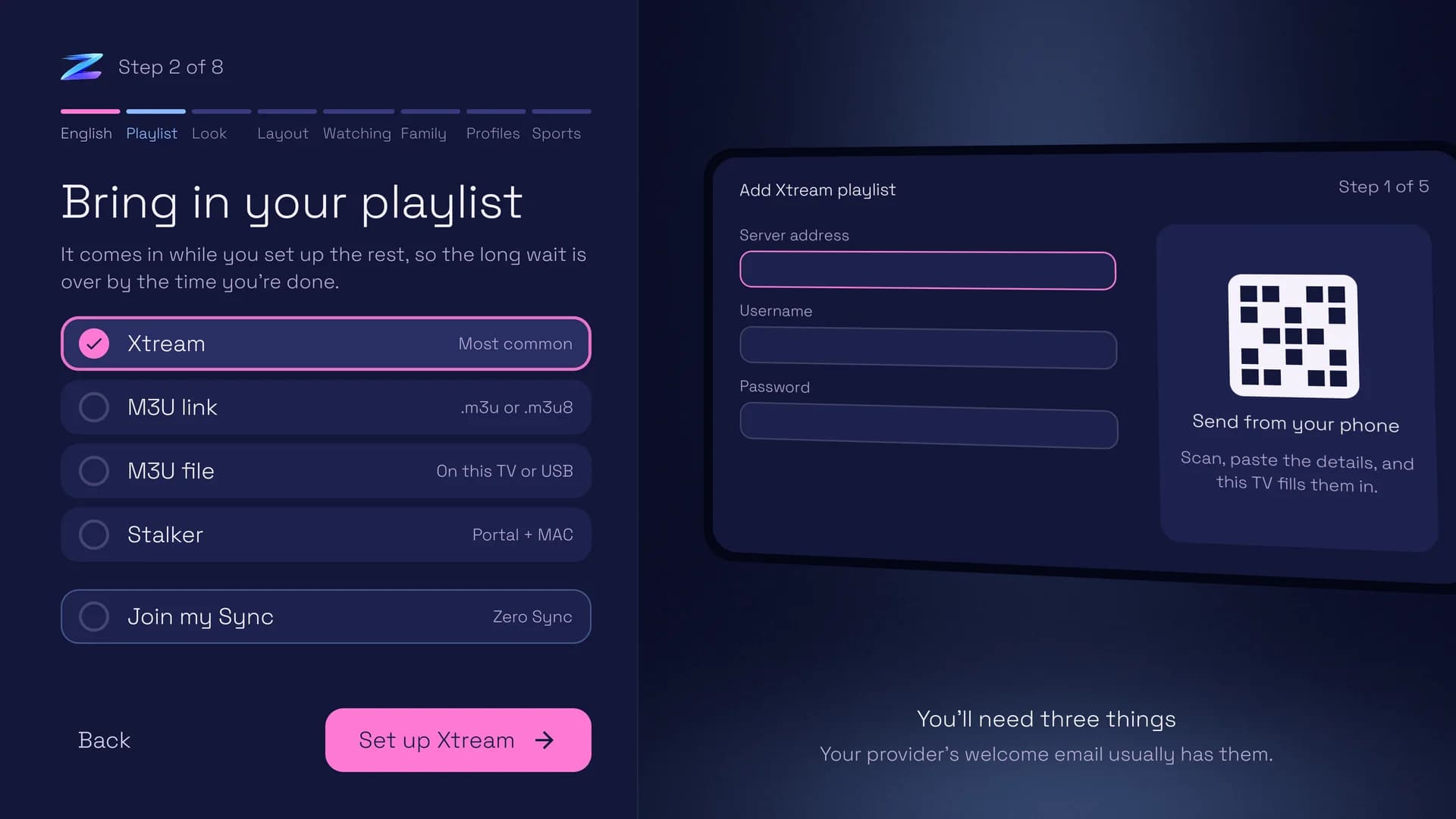
Zero TV asks a few quick questions the first time it opens and brings your playlist in while you answer.
 1
Bring the playlist you have
Xtream Codes, an M3U link, an M3U file on the TV or a USB drive, or a Stalker portal.
 2
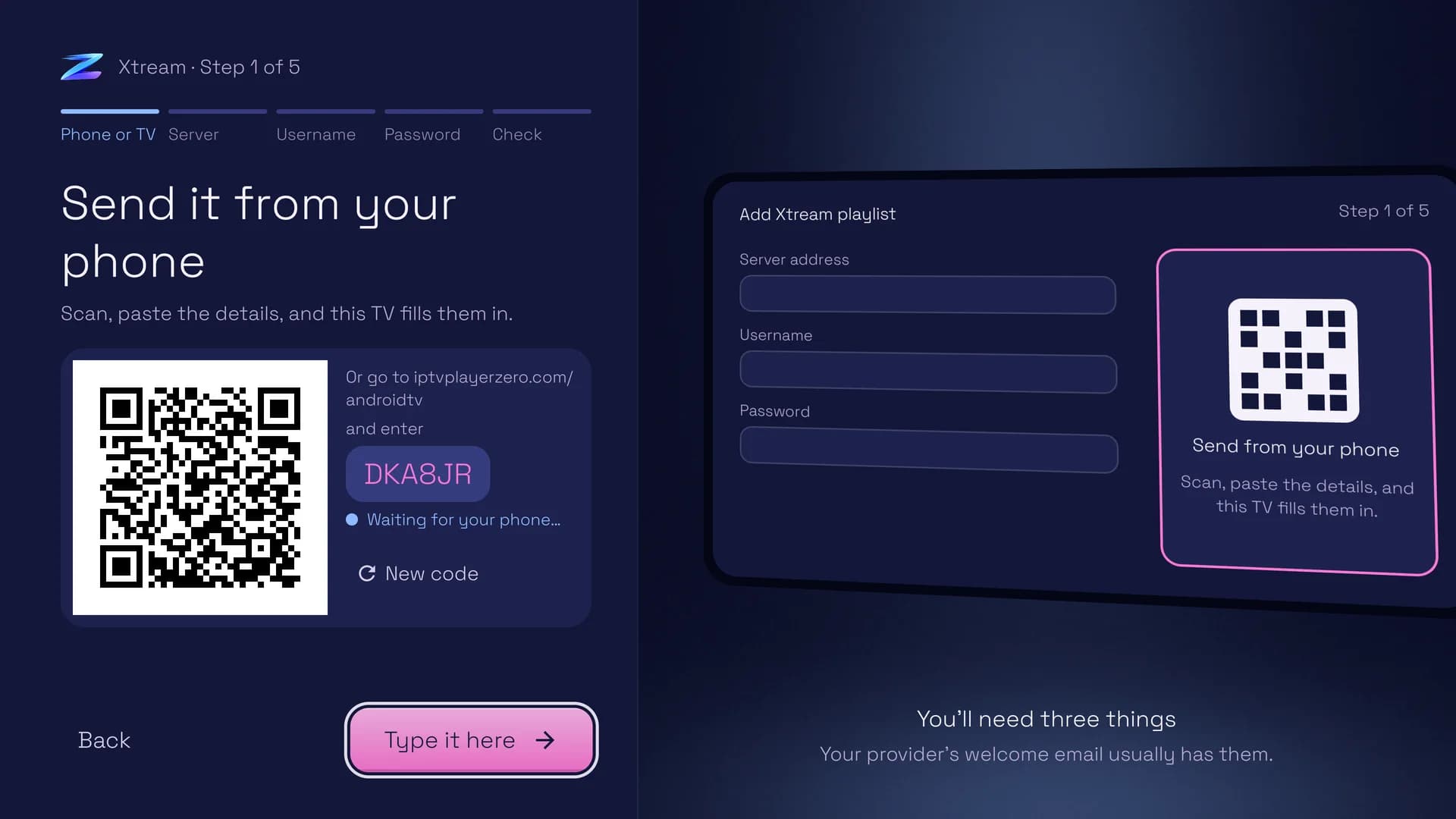
Skip the on-screen keyboard
Scan the code and paste your login on your phone. The TV fills it in.
 3
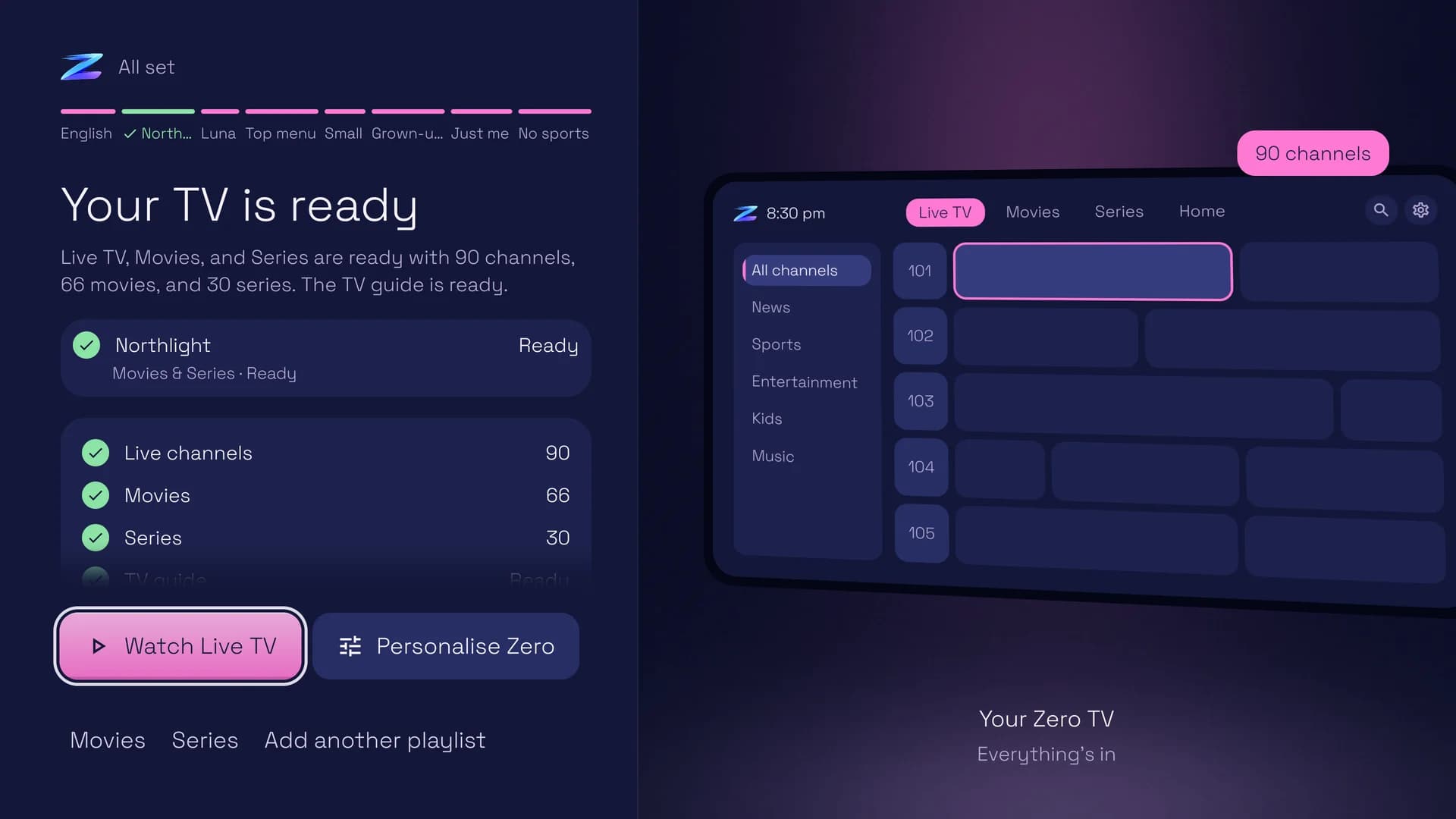
Ready by the time you are
Channels, movies, series and the guide come in while you choose a look and a layout.
Devices
Will it work on my TV?
Zero TV works on
- Fire TV sticks, cubes and TVs with Fire OS 7 or later
- Chromecast with Google TV and Google TV Streamer
- Android TV and Google TV sets with Android 9 or later, from Sony, Philips, TCL and others
- NVIDIA Shield and other Android TV boxes
It can't be installed on
- Fire TV sticks that run Vega OS: the Fire TV Stick 4K Select, the 2026 Fire TV Stick HD and the third-generation Fire TV Stick 4K
- Fire TV devices still on Fire OS 6 or older, and Android TV devices on Android 8 or older
- Samsung, LG and Roku TVs, and Apple TV
Have one of those? A current Fire TV or Google TV stick plugged into the TV works. On a Fire TV, Settings › My Fire TV › About shows its Fire OS version.
Pricing
Free to try, then pay once
Every TV gets a free 7-day trial. Zero TV PRO is then a one-time $19.99 purchase that covers up to 5 TVs. No subscription.
Free
$0
Every TV starts with 7 days of PRO. After that, Live TV, the next 3 hours of the TV guide, and Movies and Series stay free.
Zero TV PRO
$19.99 once, for up to 5 TVs
- The full TV guide
- Richer artwork and Discover
- Sports Hub and Multiscreen
- Recordings, reminders and downloads
- More than one playlist
- Every look, and profiles
Upgrade from the app: Zero TV shows a code on your TV, and you finish checkout on this site.
Zero Everywhere
$29.99 once
Zero TV on 5 TVs, Zero Player on 2 phones or tablets and IPTV Player Zero on 1 computer.
Current version 1.0.491
Which one do I need?
Not sure which you have? Start with 32-bit ARM: it installs on most TVs, 64-bit ones included. If your TV says the app couldn't be installed, try 64-bit ARM, then Universal.
32-bit ARM
armeabi-v7a · 79.8 MB
Most Fire TV sticks and older Android TV boxes. It also installs on most 64-bit TVs.
9684917Download 32-bit ARM APK- Short link
iptvplayerzero.com/zero-tv/latest/armeabi-v7a- SHA-256
fb21ad69f1940360f2d7b34459f844434b4bddca00d305fd96c2b9ee0cda8b56
64-bit ARM
arm64-v8a · 87.7 MB
Newer Google TV devices, NVIDIA Shield and other 64-bit Android TV boxes.
6674080Download 64-bit ARM APK- Short link
iptvplayerzero.com/zero-tv/latest/arm64-v8a- SHA-256
475a6ed82ea723306827afab03b38c4df2dc425015c993356208e3d35dc46be6
Universal
universal · 246.9 MB
Every version in one file, so it installs on any device, but it is much bigger. Use it if the others won't install.
6908221Download Universal APK- Short link
iptvplayerzero.com/zero-tv/latest/universal- SHA-256
99a6e2db49bbba751c26cdcdfe5a531eddea6c6ae0e52c346a15cb85cdcc21b4
64-bit Intel/AMD
x86_64 · 94.4 MB
Android TV emulators and the few Intel or AMD based TV boxes.
7751878Download 64-bit Intel/AMD APK- Short link
iptvplayerzero.com/zero-tv/latest/x86_64- SHA-256
801ee7595279c347688a58ef8694788ed71ab4372a1af308f105120c2ebfc09d
Optional: compare the SHA-256 above with your downloaded file to confirm it arrived intact.
Install with a Downloader code
Install Zero TV with just your remote
Downloader is a free app from AFTVnews for Fire TV, Google TV and Android TV. Type a download's code into it and it fetches Zero TV for you, so there's no web address to spell out with the remote.
How a code works
You type
The code in your download's box above.
Downloader
AFTVnews keeps the list of codes. Each one points at a single link.
Our link
iptvplayerzero.com/The newest 32-bit ARM version, straight from this site.

You get
New versions then arrive inside the app.
Numbers only
Downloader's # button opens a number pad, so the remote is all you need.
Never out of date
A code always fetches the newest version of its download, so the same code works after every update.
Shows you the address first
Before it downloads, Downloader shows where a code leads for a few seconds. Ours lead to iptvplayerzero.com.
- 1
Step 1
Get Downloader
On the Home screen, go to Find › Search and type Downloader. Choose Downloader by AFTVnews, the orange one, then Get.
- 1Downloader by AFTVnews
- 2Get (it says Download if you've had it before)
Look-alike apps exist. Check that it's by AFTVnews.
Downloaderby AFTVnewsDownloader
AFTVnews
FreeGet - 2
Step 2
Let Downloader install apps
Open Settings › My Fire TV › Developer options › Install unknown apps and turn Downloader on.
- 1Install unknown apps
- 2Downloader: ON
No Developer options? Open Settings › My Fire TV › About, highlight your Fire TV's name and press Select seven times, until it says you're a developer. Then go back one screen. On TVs with Fire TV built in, My Fire TV is called Device & Software.
Settings › My Fire TV › Developer options
Install unknown apps
DownloaderONOFFOFFOFFDownloader
No Developer options?Settings › My Fire TV
About
Fire TV Stick 4K MaxYou are now a developer
- 3
Step 3
Type the code
Open Downloader and select # at the top right for the number pad. Type
9684917, then select Load.- 1# opens the number pad
- 2The code for 32-bit ARM: 9684917
- 3Load
The first time, Downloader may ask for access to files on your TV: choose Allow. You can also type the code straight into the address bar.
DownloaderClick here to enter a URL, Short Code, or Search Term…#Enter a numeric short code:
9684917ClearCancelLoad123-456789.0, - 4
Step 4
Check where it's going
For a few seconds, Downloader shows where the code leads. It should be iptvplayerzero.com. If it isn't, press Back and check the number.
- 1
https:// iptvplayerzero.com/ zero-tv/ latest/ armeabi-v7a
Need longer to read it? Press Select to pause.
Downloaderhttps://go.aftvnews.com/9684917#AFTVnewsURL ShortenerRedirecting in 6 seconds to:
https://iptvplayerzero.com/zero-tv/latest/armeabi-v7a
(Click anywhere to pause the redirect.)
- 1
- 5
Step 5
Install, then open
When the download finishes, choose Install, then Open. New versions then arrive inside the app.
- 1Install
- 2Open
Back in Downloader you can delete the file it downloaded. Zero TV stays installed.
Downloaderhttps://iptvplayerzero.com/zero-tv/latest/armeabi-v7a#
Zero TV
Do you want to install this app?
CancelInstallThenZero TV
App installed.
DoneOpen
No Downloader on your Fire TV?
The Fire TV Stick 4K Select, the 2026 Fire TV Stick HD and the third-generation Fire TV Stick 4K run Vega OS, which only installs apps from Amazon's Appstore, so Downloader and Zero TV can't be installed on them. In Settings › My Fire TV › About, a software version starting with OS 1 means Vega OS.
Code not working?
Type the short link into Downloader's address bar instead: iptvplayerzero.com/. It fetches the version marked Start here.
Only use codes from this page
Anyone can make a Downloader code, and a code can lead anywhere. Ours always lead to iptvplayerzero.com, and step 4 shows you how to check.
Release notes
What's new in 1.0.491
Questions
Zero TV questions, answered
What is Zero TV?
Zero TV is an IPTV player app for Fire TV, Google TV and Android TV, made by Built By Board Ltd, the makers of IPTV Player Zero. It plays the M3U playlist, Xtream Codes login or Stalker/MAC portal you already have, with live TV, a TV guide, movies and series.
Which devices does Zero TV work on?
Fire TV sticks, cubes and TVs with Fire OS 7 or later, and Google TV and Android TV devices with Android 9 or later, such as Chromecast with Google TV, Google TV Streamer, NVIDIA Shield and many Sony, Philips and TCL TVs. It can't be installed on Fire TV sticks that run Vega OS (the Fire TV Stick 4K Select, the 2026 Fire TV Stick HD and the third-generation Fire TV Stick 4K), on Fire TV devices still on Fire OS 6 or older, or on Samsung, LG, Roku or Apple TV. A current Fire TV or Google TV stick plugged into one of those TVs works.
How do I install Zero TV on a Firestick or Google TV?
Install the free Downloader app by AFTVnews from your TV's app store and allow it to install apps. Open Downloader, select # and type 9684917, then choose Install and Open. The guide on this page shows every step with pictures.
Is Zero TV free?
Zero TV is free to download, and every TV gets a free 7-day PRO trial with no card needed. After the trial, Live TV, the next 3 hours of the TV guide, and Movies and Series stay free. Zero TV PRO is a one-time $19.99 purchase for up to 5 TVs, with no subscription.
What does Zero TV PRO add?
PRO adds the full TV guide, richer artwork and the Discover section, Sports Hub, Multiscreen, recordings, reminders, downloads, more than one playlist, every look and profiles. All of it is free to try during the 7-day trial.
How many TVs does one purchase cover?
Up to 5 TVs. More TVs can be added from your account for $4.99 each. Zero Everywhere ($29.99, paid once) covers 5 TVs with Zero TV, 2 phones or tablets with Zero Player and 1 computer with IPTV Player Zero.
Does Zero TV include channels or a playlist?
No. Zero TV is media-player software. It does not include, sell or recommend channels, playlists or IPTV subscriptions: you add a source you already have the right to use.
Which playlist types does Zero TV support?
M3U and M3U8 playlists as a link or as a file on the TV or a USB drive, Xtream Codes logins and Stalker/MAC portals. The TV guide comes from your provider, and each playlist can take up to 5 guide sources of your own.
How does Zero TV update?
New versions arrive inside the app. The Downloader code and the short link on this page always fetch the newest version too.
Is there a version for phones and computers?
Yes. Zero Player is the app for Android phones and tablets, and IPTV Player Zero is the desktop app for Windows and macOS. Zero Sync, which is in beta, keeps playlists, favorites and watch progress in step between them.