IPTV Player Zero logoIPTV Player Zero
Windows 10/11 IPTV Player • Bring your own playlists

IPTV Player Zero

A fast, modern IPTV player for Windows that plays your own M3U/Xtream playlists, includes an XMLTV TV Guide (EPG), and supports Movies/Series (VOD) with favorites, search, reminders, and parental controls.

IPTV Player Zero is a modern IPTV player for Windows 10/11 built for smooth playback and a clean, TV-first experience. Import your own playlists and watch Live TV, browse Movies, and continue Series—all with a responsive UI and a native-performance playback engine (mpv).

IPTV Player Zero is a player only. You must provide your own playlists and EPG sources. Some streams may fail due to provider restrictions, unsupported formats, or DRM.

Preview

IPTV Player Zero

Windows

Playlist

M3U/M3U8 • Xtream Codes • URL or local

Guide

XMLTV • Virtualized grid • Reminders

VOD

Movies • Series • Continue Watching

mpv engineThemesParental controls

Features

Built for quick navigation, smooth playback, and a clean TV-first experience on Windows.

Player-only app: you provide playlists and EPG.

Bring your own playlist

Import M3U/M3U8 (local file or URL) or use Xtream Codes (recommended for richer metadata, Movies, and Series). Enable/disable playlists and switch between them quickly.

TV Guide (EPG) with XMLTV

Import XMLTV from a local file or URL. Optional preset picker for EPG sources (EPGShare list inside playlist settings) and a smooth, virtualized guide grid with scroll sync and a clear “now” marker.

Programme reminders & notifications

Set reminders from the guide (at start or e.g. 10 minutes before). Uses Windows notifications when permission is granted.

Movies & Series (VOD)

Browse categories, open details, and play instantly. Continue Watching for unfinished movies/episodes with progress tracking, plus playlist-scoped favorites for Movies and Series.

Favorites, search, and quality-of-life

Favorites for Live TV channels (with optional reorder support), recently viewed channels, and fast search across Live TV, Movies, and Series.

Parental Controls

Hide adult categories/channels with a 4-digit PIN, plus optional keyword-based filtering for more control.

Look & feel

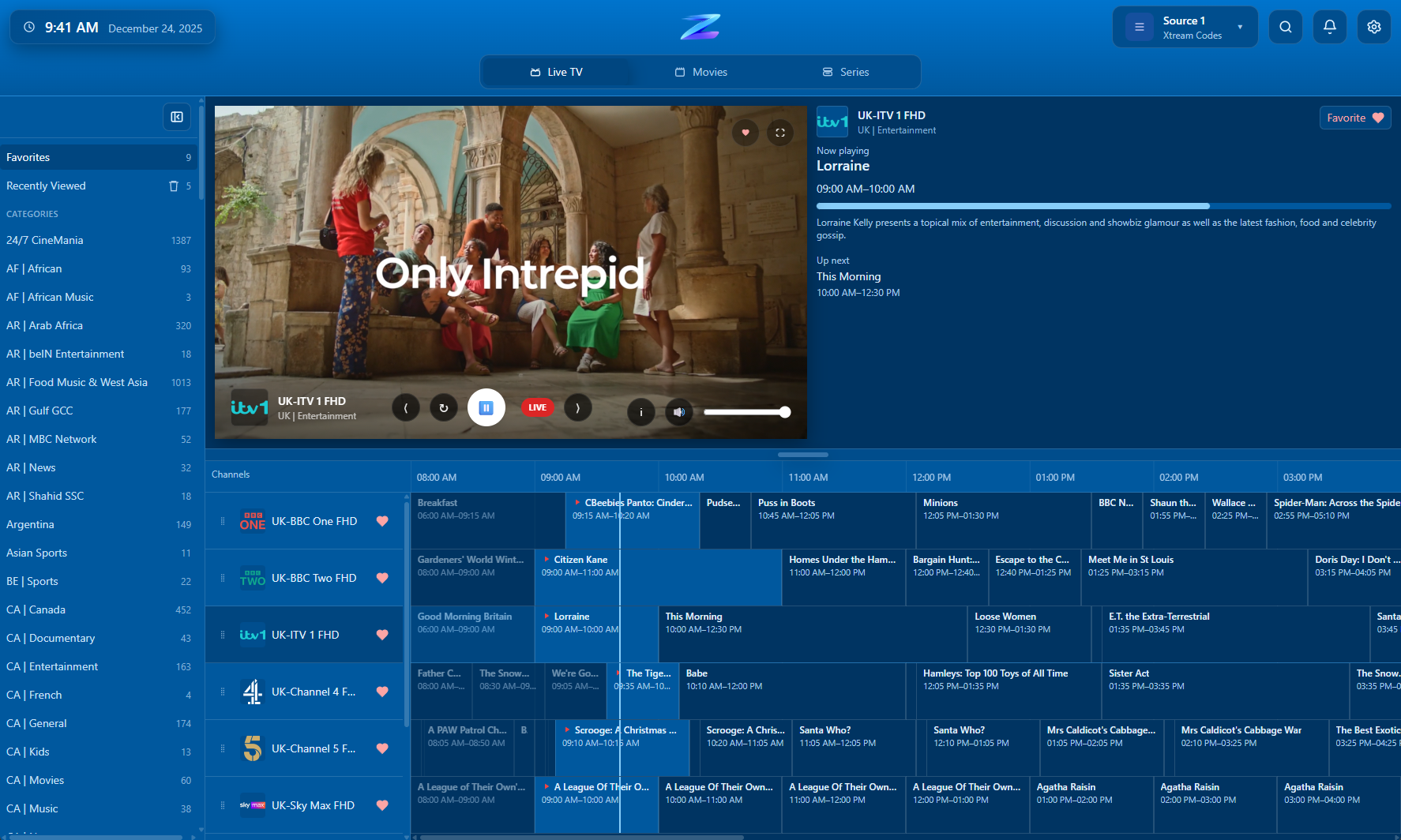
Theme options: Light, Dark, System, and Sky Blue. UI designed for readability and quick navigation in a TV-first layout.

Free mode + optional Lifetime Unlock

Core playback is free, with an optional one-time Lifetime Unlock to remove limits and enable the full feature set.

Native-performance playback (mpv)

Smooth playback powered by mpv, tuned for fast start and a responsive Windows 10/11 experience.

Screenshots

A quick tour of the current UI—from Live TV to Guide (EPG) to VOD and settings.

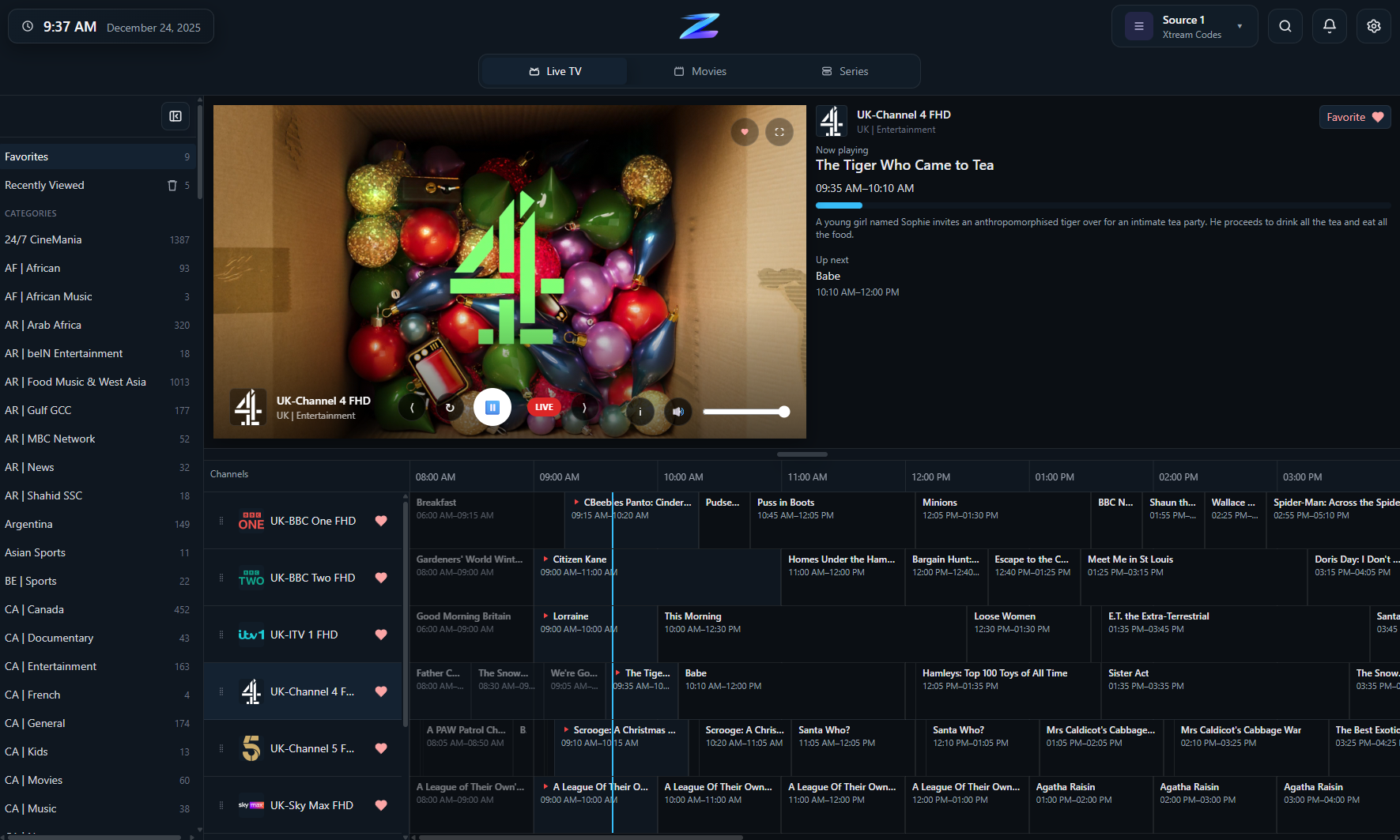
Live TV channel list

Live TV channel list

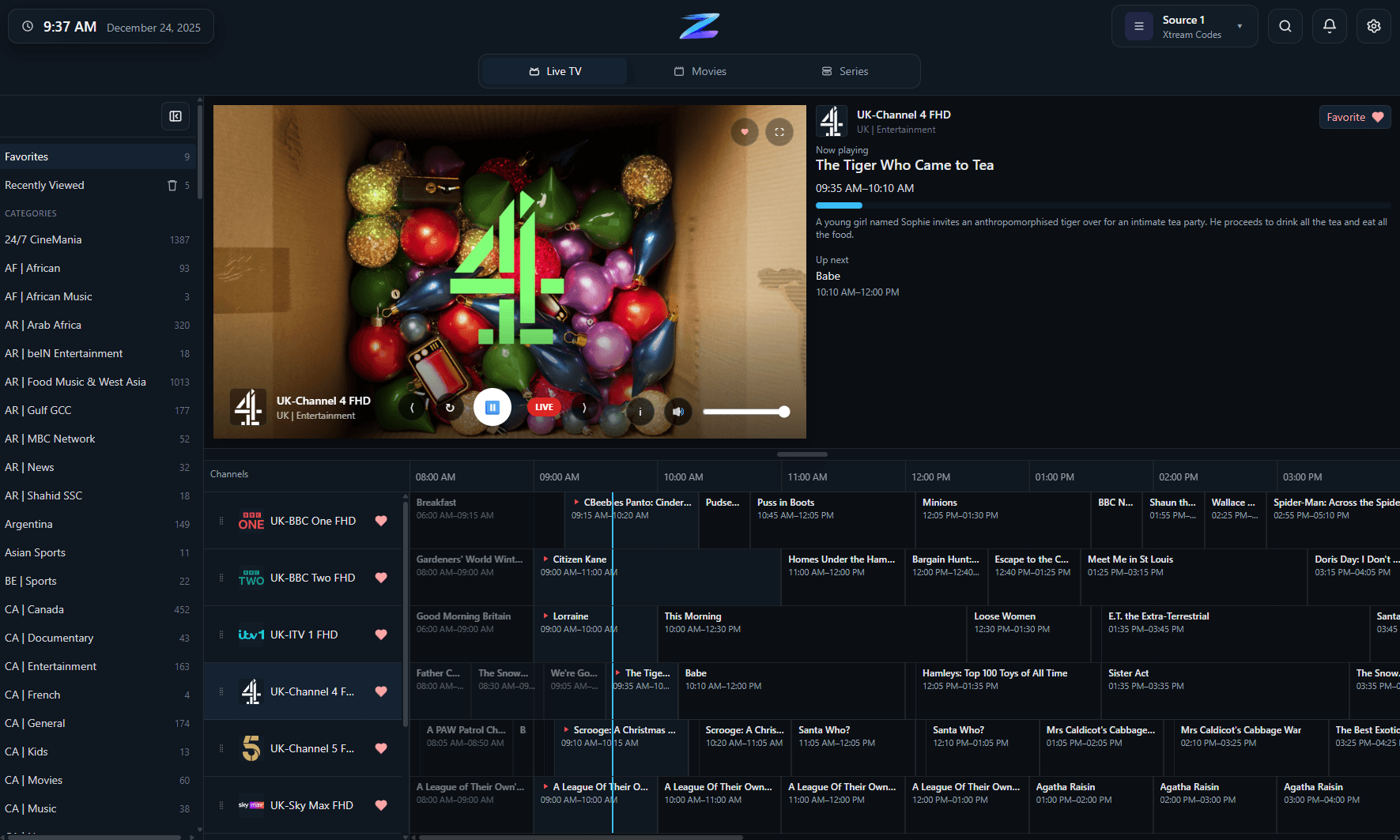
The TV-first Live view with channel groups, a fast-scrolling list, and quick access to favorites and recently viewed channels.

EPG guide grid

EPG guide grid

The XMLTV TV Guide (EPG) with a grid layout for now/next browsing, time navigation, and a clear ‘now’ position for what’s currently on.

Player (OSD)

Player (OSD)

On-screen playback controls and stream info while watching—kept minimal so content stays front-and-center.

Movies (VOD) categories

Movies (VOD) categories

Browse Movies by category with poster art and quick filtering—built for remote-style navigation.

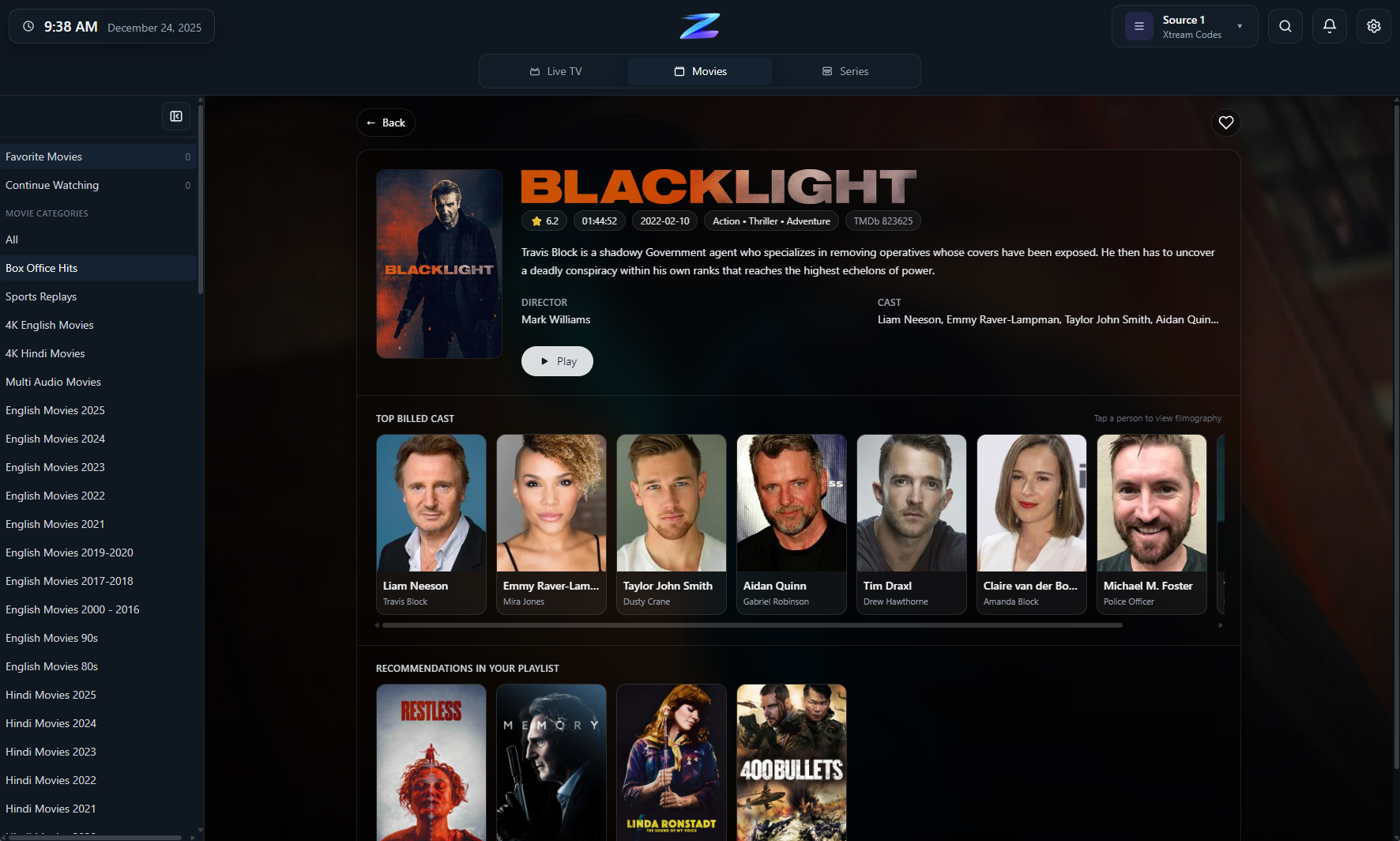
Movie details

Movie details

A details view for a selected movie with artwork/metadata and one-tap actions like Play and Add to Favorites.

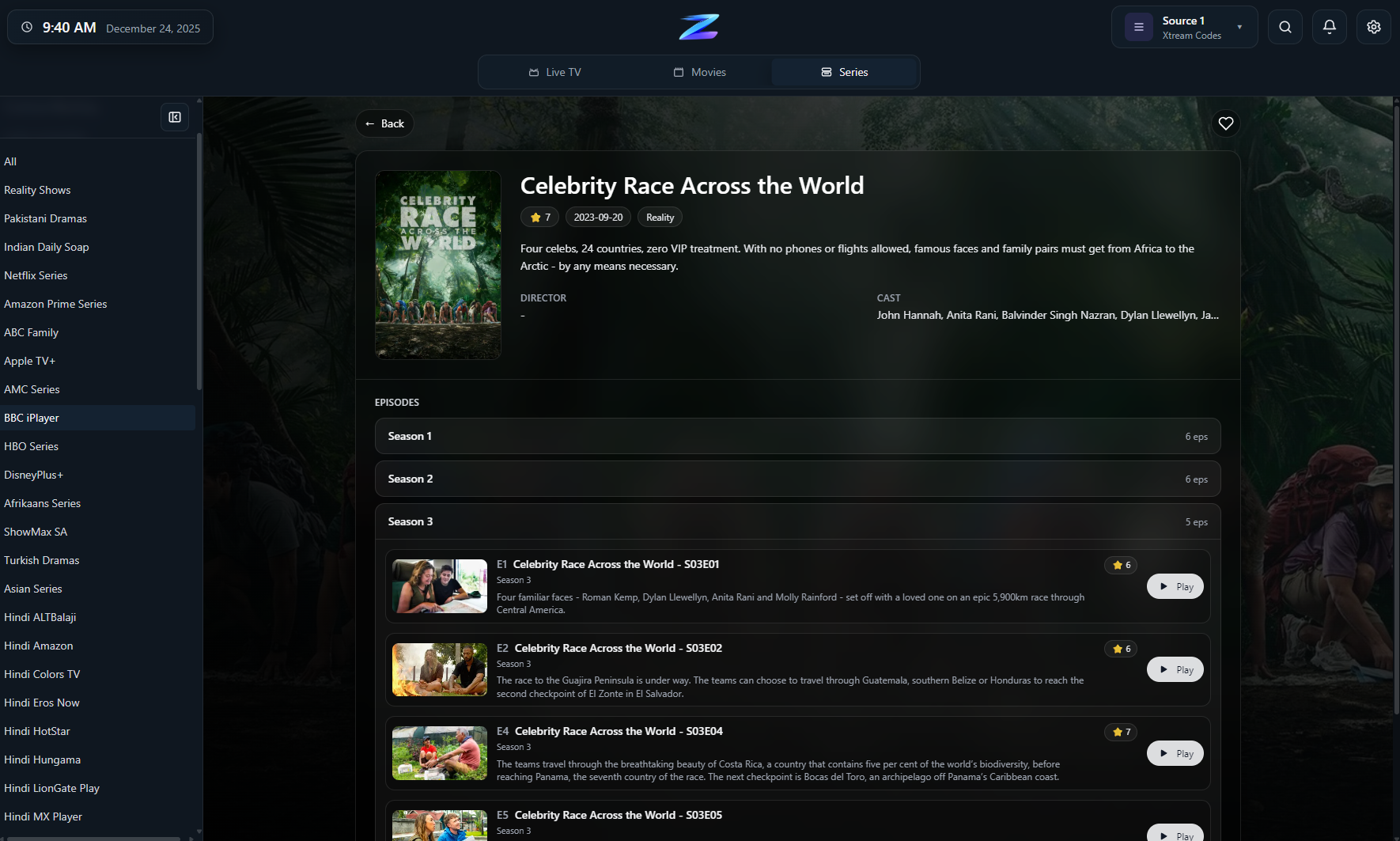
Series (seasons & episodes)

Series (seasons & episodes)

Series browsing with seasons and episode lists, including resume/continue watching behavior for in-progress episodes.

Settings (Playlists / EPG)

Settings (Playlists / EPG)

Playlist management and EPG setup—add M3U/Xtream sources, configure XMLTV, and tune app preferences.

FAQ

Does IPTV Player Zero include channels?

No. IPTV Player Zero is a player only. You must provide your own playlists and EPG sources.

Is IPTV Player Zero legal?

IPTV Player Zero is designed for legal, user-provided sources. It does not include any channels, playlists, streams, or URLs.

What playlists does it support?

M3U/M3U8 (local file or URL) and Xtream Codes (recommended for richer metadata and Movies/Series).

Will every stream play?

Not always. Some streams may fail due to provider restrictions, unsupported formats, or DRM.

What are the system requirements?

Windows 10/11 and Microsoft WebView2 Runtime (usually already installed).